
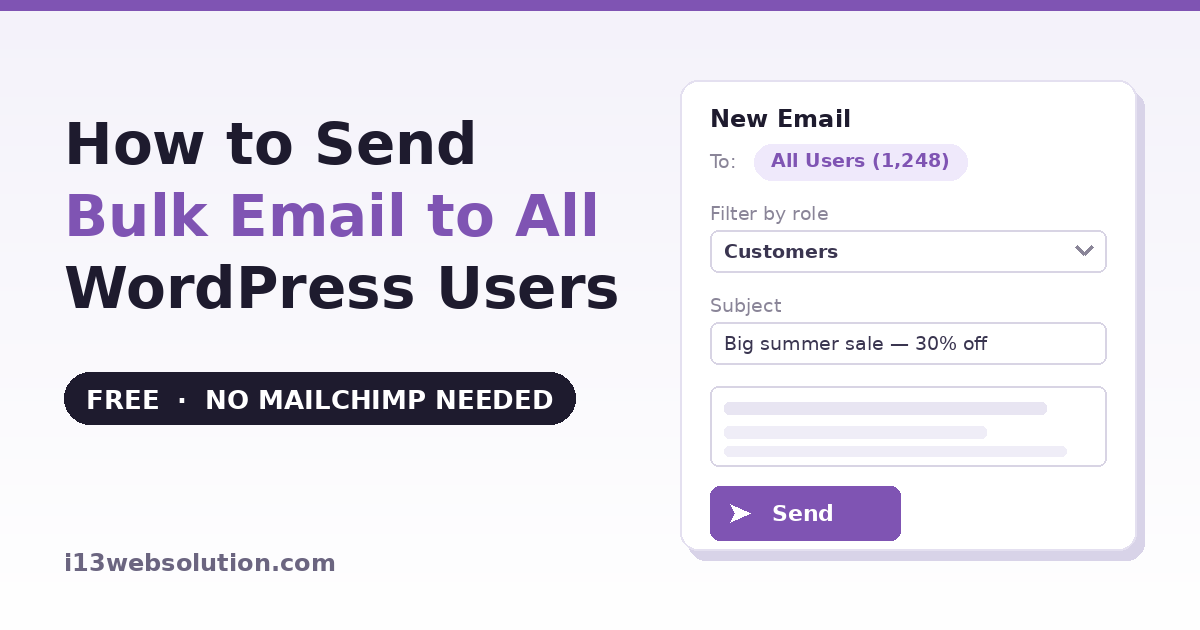
Sooner or later, every WordPress site owner needs to email all their users at once — a maintenance announcement, a policy update, a product launch, a discount for customers. And then you discover something surprising: WordPress has no built-in way to email your users. The user list is sitting right there in wp-admin, but there’s no “send email to everyone” button anywhere.
In this guide you’ll learn how to send a bulk email to all WordPress users — including why the obvious workarounds fail, a free code method, a free plugin method that takes about three minutes, and the one deliverability step most tutorials skip that decides whether your email lands in inboxes or spam folders.
Why the Obvious Options Don’t Work
- BCC from Gmail or Outlook: mail providers cap outgoing mail (Gmail is roughly 500 recipients/day), and a single message BCC’d to hundreds of addresses is exactly what spam filters are trained to catch. Even when it arrives, a giant BCC looks unprofessional.
- Exporting users to Mailchimp or Brevo: you end up paying monthly for contacts you already own, re-exporting every time users register, and moving personal data to a third party — which raises consent questions you didn’t have when the data stayed on your own site.
- Custom code: possible, and shown below — but it comes with real limits.
Method 1: Send Email to All Users with Code
For a small site and a one-off announcement, a short snippet works. Add this to a code snippets plugin, then trigger it once:
function i13_email_all_users() {
    $subject = 'Scheduled maintenance this Sunday';
    $message = 'Hi! Our site will be briefly unavailable this Sunday '
             . 'between 2:00 and 3:00 AM UTC for maintenance.';

    $users = get_users( array( 'fields' => array( 'user_email' ) ) );

    foreach ( $users as $user ) {
        wp_mail( $user->user_email, $subject, $message );
    }
}
Each user gets an individual email (no exposed BCC list), using your site’s mail system. It genuinely works — on a site with 50 users. Beyond that, the problems stack up fast:
- Timeouts: the loop runs inside one PHP request. A few hundred users, and the request dies mid-send — with no record of who already received the email.
- No selection: it emails everyone. Only customers? Only subscribers? That’s more code.
- No editor, no template: plain text hardcoded in PHP. Every new announcement means editing code.
- No unsubscribe link: anti-spam rules (CAN-SPAM, GDPR e-privacy) expect commercial email to offer an opt-out. A raw snippet has none — fine for a critical service notice, a problem for anything promotional.
- No tracking: you’ll never know whether anyone opened it.
Method 2: The Free Plugin Method (About 3 Minutes)
This is what our Mass Email To Users plugin is for — composing and sending from inside wp-admin, to the users you already have:
- Install Mass Email To Users from the WordPress plugin directory and activate it
- Open the plugin’s compose screen and write your email in the visual editor — formatting, links, no PHP
- Choose recipients: all users, or filter by role — only Customers, only Subscribers, only Editors
- Send. The plugin processes the list in batches in the background, so hundreds of users don’t time out the way the code snippet does
No export, no third-party account, no per-contact pricing — the list never leaves your site.
The Step Everyone Skips: SMTP Deliverability
An honest note that applies to every bulk email plugin, including ours: by default, WordPress sends mail through your hosting server’s PHP mail function. Shared hosting IPs have poor sending reputations, so bulk mail sent this way often lands in spam folders — and people then blame the plugin.
The fix is a free SMTP plugin (WP Mail SMTP, FluentSMTP, or similar) connected to a transactional email service — Brevo, Amazon SES, and several others have free tiers covering hundreds of emails per day. Ten minutes of setup, and your announcements arrive in inboxes with proper authentication (SPF/DKIM) instead of the spam folder. If you send to more than a handful of users, treat SMTP as part of the job, not an optional extra.
Two more habits that keep you out of trouble: only email users who reasonably expect to hear from you (they registered on your site — a service announcement is expected; daily promotions are not), and include an unsubscribe option for anything promotional.
What the Pro Version Adds
The Mass Email To Users Pro version is built for WooCommerce stores and larger lists:
- WooCommerce segmentation: email customers who bought a specific product, or filter by purchase activity — announce a plugin update only to the people who own that plugin, or send a win-back offer to customers who haven’t ordered recently. Works with WooCommerce’s current HPOS order storage.
- Scheduled sending: compose now, deliver Tuesday at 9 AM when people actually read email.
- Open and click tracking: see who opened and what they clicked, so you learn which subject lines and offers work.
- Bounce management: dead addresses are detected and excluded, protecting your sender reputation over time.
For announcement-style email — updates, launches, service notices — this replaces a paid email platform for most stores: the free version to send, Pro to target and measure.
Which Method Should You Use?
Code snippet: a one-off plain-text notice on a site with a few dozen users, and you’re comfortable with PHP.
Free plugin: any site where you’ll email users more than once, need role targeting, or have more than ~50 users — which is nearly everyone reading this.
Pro: WooCommerce stores that want purchase-based targeting, scheduling, and open/click stats.
Whichever you choose — set up SMTP first. It matters more than the sending method.
Frequently Asked Questions
How do I email all users in WordPress without a plugin?
Loop over get_users() and send each user an individual message with wp_mail() — the complete snippet is in Method 1 above. It works for small sites, but a single PHP request times out beyond a few hundred users, and you get no editor, no role filtering, and no tracking.
Can I send bulk email from WordPress without Mailchimp?
Yes. A bulk email plugin sends directly from wp-admin to the users already registered on your site — no export, no third-party contact list, no per-contact pricing. Pair it with a free SMTP service for reliable inbox delivery.
Why do my WordPress bulk emails go to spam?
Almost always because they’re sent through your hosting server’s default PHP mail, which lacks proper authentication and often uses a shared IP with a poor reputation. Connect WordPress to an SMTP/transactional email service (many have free tiers) so mail is sent with SPF and DKIM authentication.
Can I email only WooCommerce customers instead of all users?
Role filtering (free) lets you email only users with the Customer role. Purchase-based targeting — customers of a specific product, or by order activity — requires the Pro version’s WooCommerce segmentation.
Is it legal to email my WordPress users?
Emailing registered users about the service they signed up for (maintenance, security, account notices) is generally expected communication. Promotional email is subject to anti-spam rules such as CAN-SPAM and GDPR — include an unsubscribe option and only email people with a reasonable expectation of hearing from you. This is general information, not legal advice for your jurisdiction.
Mass Email To Users is developed by i13 Web Solution — free version on WordPress.org, Pro version with WooCommerce segmentation, scheduling, and tracking. Questions? Contact us — we answer every email.