



Description
Five Layouts. Filter Tabs. Real Stats. No Subscription.
Show your posts as a grid, masonry wall, overlay cards, a magazine layout, or a sliding carousel — with category filter tabs that filter without reloading, related posts under every article, and click stats that tell you what actually works. Add it with a shortcode or a Gutenberg block. Pay once, own it forever.
The Post Grid Plugin That Doesn’t Need a Weekend
Most post grid plugins want you to learn a page builder first. You install a 3MB slider suite, watch a tutorial, design each slide by hand, and a week later you have one carousel and a subscription renewal date.
Post Sliders & Post Grids Pro takes the posts you already have and lays them out. Pick your categories, choose a layout from a dropdown, drop it on the page. That is the whole process. Our customers keep telling us the same thing:
“I tried Smart Slider 3, and many others. Really too complex. I just needed a slider to slide ANY type of post. Just a thumbnail, a description, a link, an animation. That’s it. Simple, effective, cheap.”
— ALAIN MINNOY, verified owner
Everything You Need, In One Place
| Feature | Free | Pro |
|---|---|---|
| Pricing model | Free | One-time |
| Post grids | 1 | Unlimited |
| Post sliders | 1 | Unlimited |
| Default & List layouts | ✓ | ✓ |
| Masonry, Overlay & Magazine layouts | ✗ | ✓ |
| Gutenberg block | ✓ | ✓ |
| Category filter tabs | ✓ | ✓ |
| Filter by tags or any custom taxonomy | ✗ | ✓ |
| Dropdown filter style, multi-select, post counts | ✗ | ✓ |
| Related posts by category | ✓ | ✓ |
| Related posts by tag / custom taxonomy | ✗ | ✓ |
| Related posts sorted by relevance | ✗ | ✓ |
| Auto-insert related posts under every article | ✗ | ✓ |
| Click stats & most-clicked posts | ✗ | ✓ |
| Horizontal slider | ✓ | ✓ |
| Vertical slider & continuous ticker | ✗ | ✓ |
| AJAX pagination | ✗ | ✓ |
| Social sharing buttons | ✗ | ✓ |
| Colour pickers | ✓ | ✓ |
| Easing effects | Basic | 16 effects |
🛡️30-Day Money-Back Guarantee
Not satisfied for any reason? Contact us within 30 days for a full refund — no questions asked.
🎨 Five Layouts, One Setting to Switch
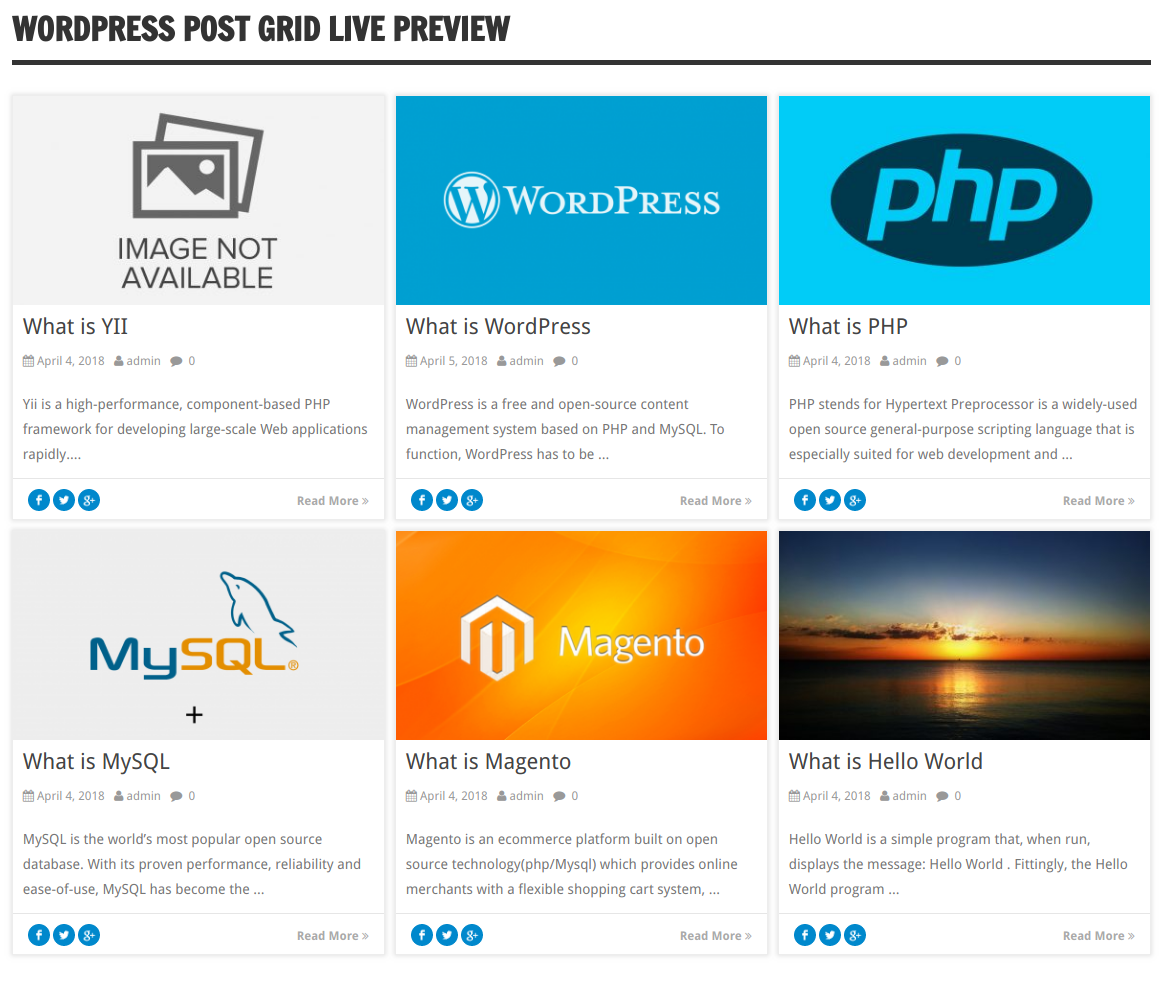
- Default — clean, even tiles with matched heights
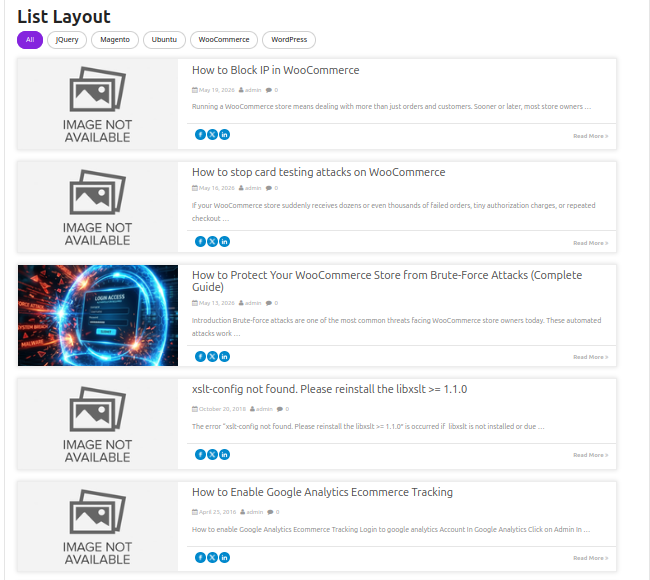
- List — one post per row, image beside the text
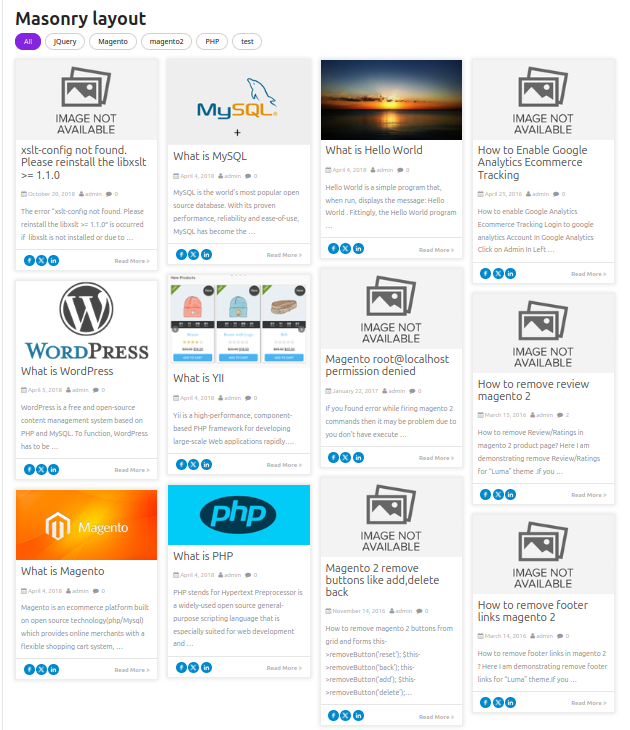
- Masonry — cards flow to their natural height, no gaps NEW
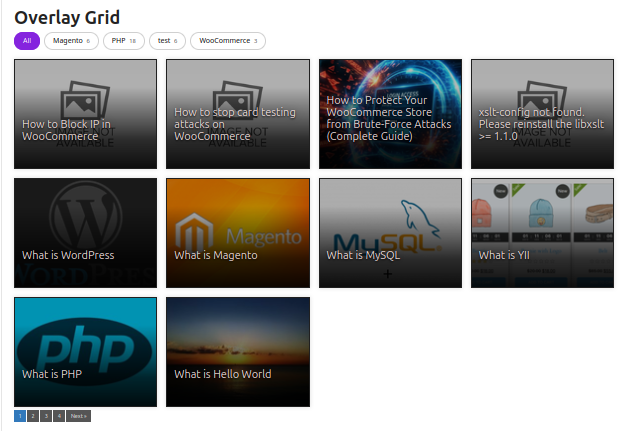
- Overlay — title and excerpt sit on the featured image NEW
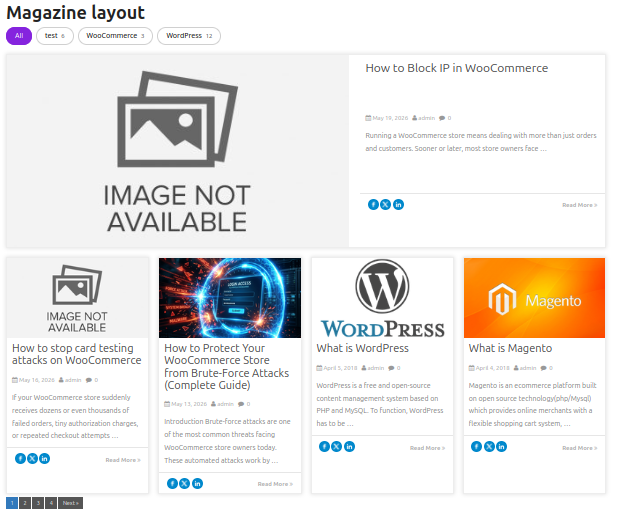
- Magazine — first post runs full width as a hero, the rest tile beneath NEW
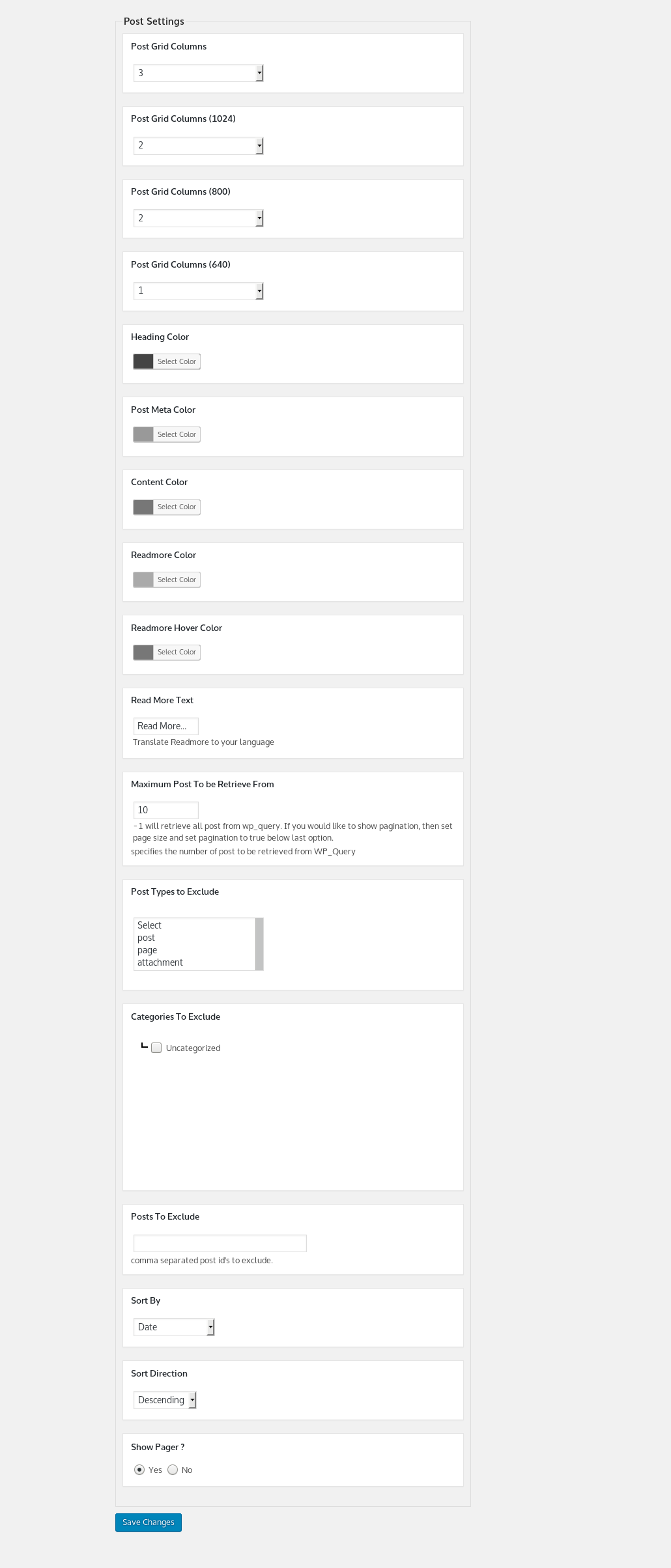
- Independent column counts for desktop, laptop, tablet and phone — set four numbers and it behaves everywhere
🔍 Filter Tabs That Never Come Up Empty
- Category buttons above any grid — click one, the grid re-renders in place NEW
- Filter by categories, tags, or any custom taxonomy NEW
- Buttons or dropdown style; allow multiple selections at once NEW
- Show a post count beside each term NEW
- Start the grid pre-filtered on a term of your choice NEW
- Tabs are built from the terms each grid is allowed to show — a visitor can never land on an empty result
- Works alongside AJAX pagination; filtering resets paging automatically
🔗 Related Posts, Without Another Plugin
- Show posts sharing categories, tags, or any custom taxonomy with the article being read NEW
- Match on several taxonomies at once, with AND or OR matching NEW
- Sort by relevance — posts sharing three tags beat posts sharing one NEW
- Insert automatically below every post, no template editing NEW
- Display as a grid or a slider; the current post is excluded automatically
📊 Click Stats — Find Out What Actually Works
- Clicks, views and click-through rate for the last 30 days, per grid NEW
- A sparkline on the grids screen so you see the trend at a glance NEW
- Most-clicked-posts breakdown — learn which headlines earn attention NEW
- No visitor data is stored. No IP address, no user ID, no cookie, no session — only a per-grid, per-day counter NEW
- Nothing to disclose in a privacy policy, no consent banner needed, no table quietly growing in your database
🎠 Sliders Too
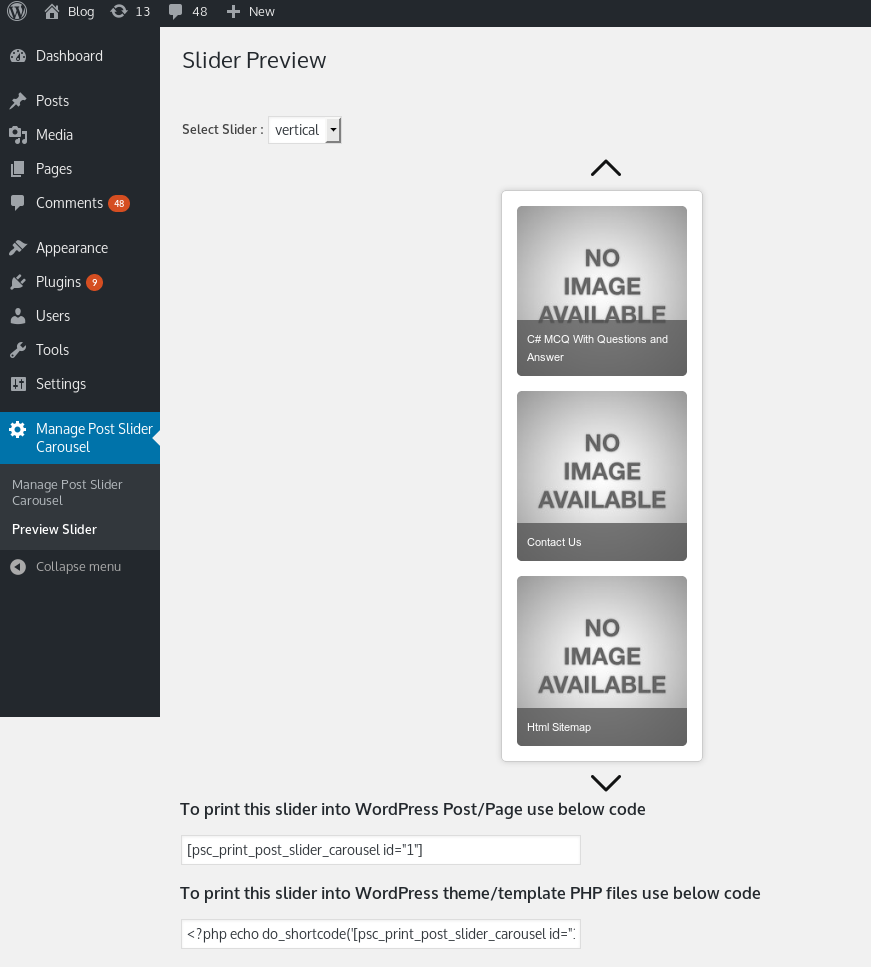
- Horizontal and vertical post carousels
- Continuous ticker mode, in both directions
- 16 easing effects · touch enabled · autoplay with pause on hover
- Captions, pagers, custom thumbnail sizes, and a custom link per post
🛠️ Built for Real Sites
- Unlimited grids and sliders, each configured independently
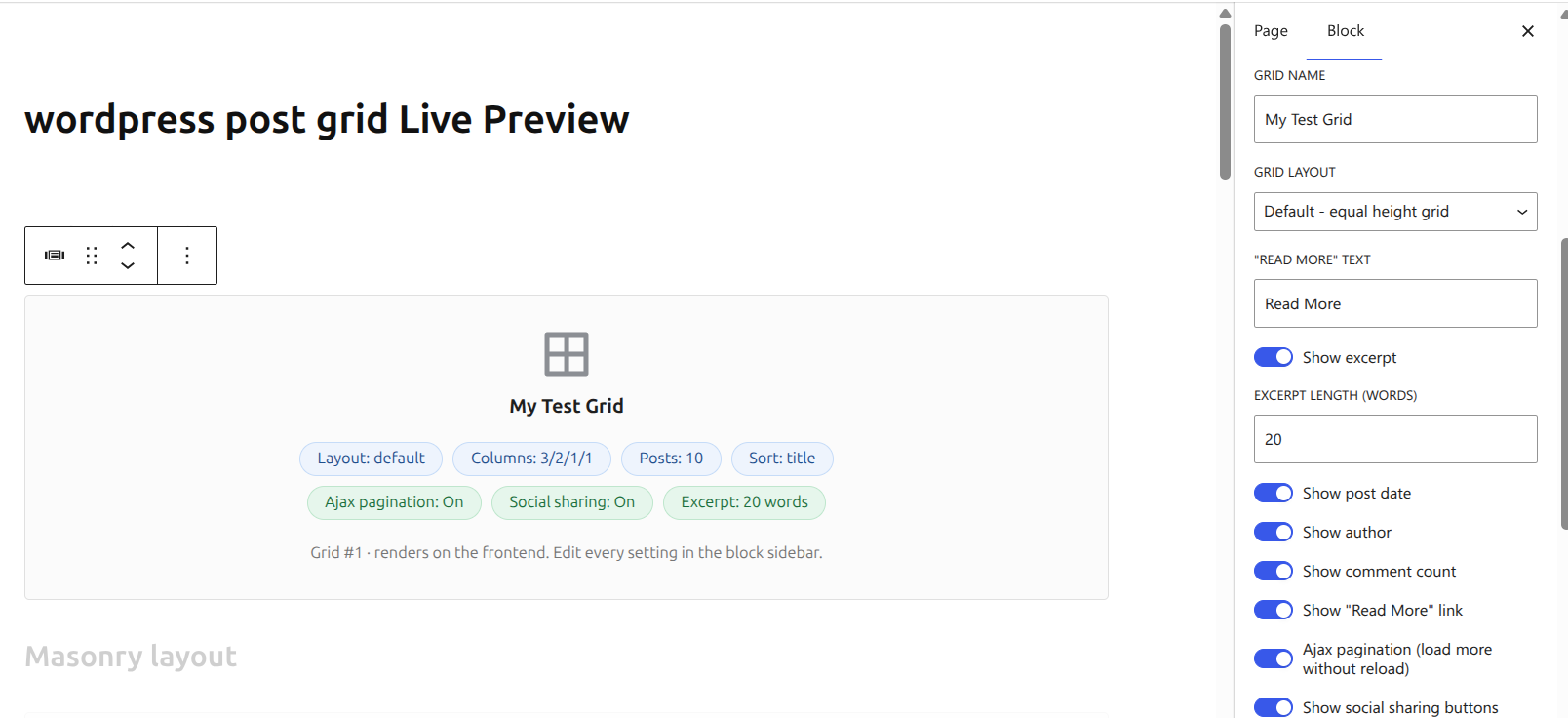
- Full Gutenberg block — every setting in the sidebar, never leave the editor
- Shortcodes for the Classic editor, or
do_shortcode()in a template - Any registered post type, including WooCommerce products
- Colour pickers for headings, meta, content and Read More
- Choose what each card shows: excerpt, date, author, comment count, Read More — and set the excerpt length
- AJAX pagination so long grids do not mean long pages
- Preview a grid or slider before adding it to a page
- WordPress multisite compatible · capabilities support · translation ready · no advertisements
Who Is This For?
- 📝 Bloggers — a grid on your blog page, filter tabs so readers narrow it down, related posts under every article
- 📰 News & magazine sites — the Magazine layout gives your lead story a hero slot and tiles the rest beneath it
- 📚 Review & niche sites — filter by category, and use the stats to learn which reviews people actually click
- 🛒 WooCommerce stores — works with products, not just posts
- 🏢 Agencies & freelancers — unlimited grids per site, Gutenberg support for any client build, 5 and 10 site licences available
Up and Running in Minutes
- Install & activate — upload the zip, click Activate, tables created automatically
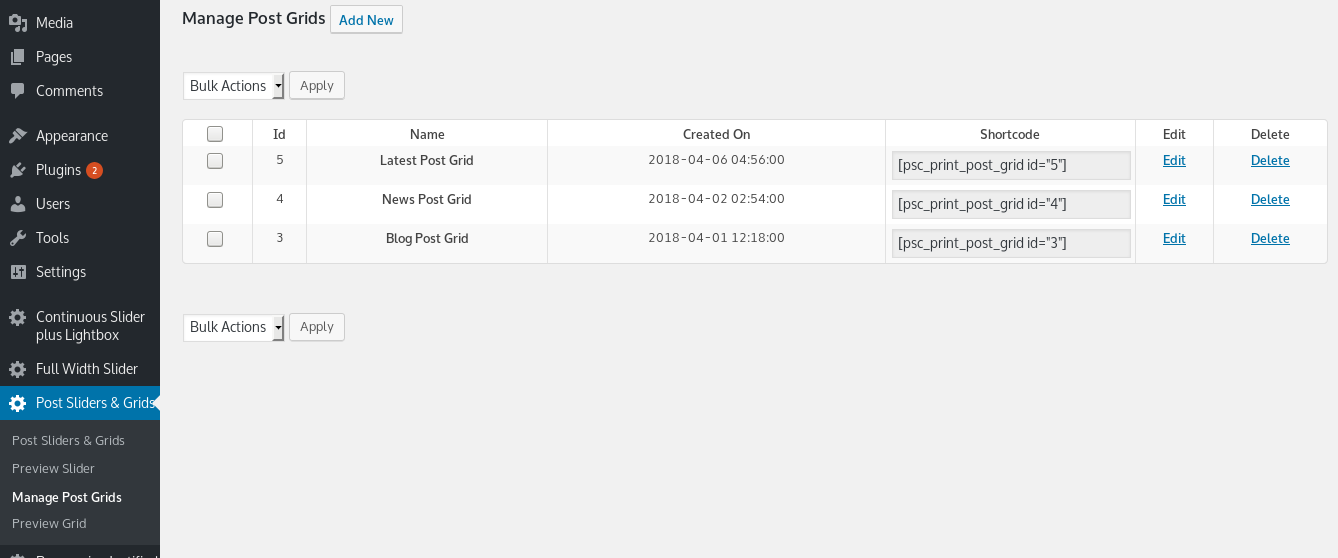
- Build a grid — Post Sliders & Grids → pick your categories, columns and colours
- Pick a layout — choose Default, List, Masonry, Overlay or Magazine from one setting
- Add it to a page — paste the shortcode, or drop in the Gutenberg block and pick your grid
Every Way to Show Your Posts. One Plugin.
109+ active installs · 5.0/5 rating · 30-day money-back guarantee · One-time payment




angeljs –
Perfect!
I have spent so long looking for a plugin that does exactly what I want, and this is it, thank you!
rajeev90006 –
Good Plugin
Exactly this is what i need. Please add more some option like to post grid like content hide/show length, pager styles, ajax paging etc. Thanks for the plugin.
iscreambooks –
Exactly what I needed. 5 star support as well!
I wasn’t exactly sure what I was looking for until I found this plugin and it was perfect for my book review blog. I was able to customize the size for my book covers to fit exactly and it’s awesome! I had a little snag and contacted support and my problem was solved within 24 hrs. I’m very pleased and highly recommend this product.
ALAIN MINNOY (verified owner) –
Finally a developper who understand website owners needs 🙂 I tried Smart Slider 3, and many others. Really too complex. I just needed a slider to slide ANY type of post. Just a thumbnail, a description, a link, an animation. That’s it. Simple, effective, cheap. THANK YOU
dhastar –
Another Great Plugin
Another Great Plugin.recent slider ready within minutes.
Thanks
ALAIN MINNOY (verified owner) –
Finally a developper who understand website owners needs 🙂 I tried Smart Slider 3, and many others. Really too complex. I just needed a slider to slide a type of post. Just a thumbnail, a description, a link, an animation. That’s it. Simple, effective, cheap. THANK YOU