

Description
Email Notifications for Every Step of Your Editorial Workflow
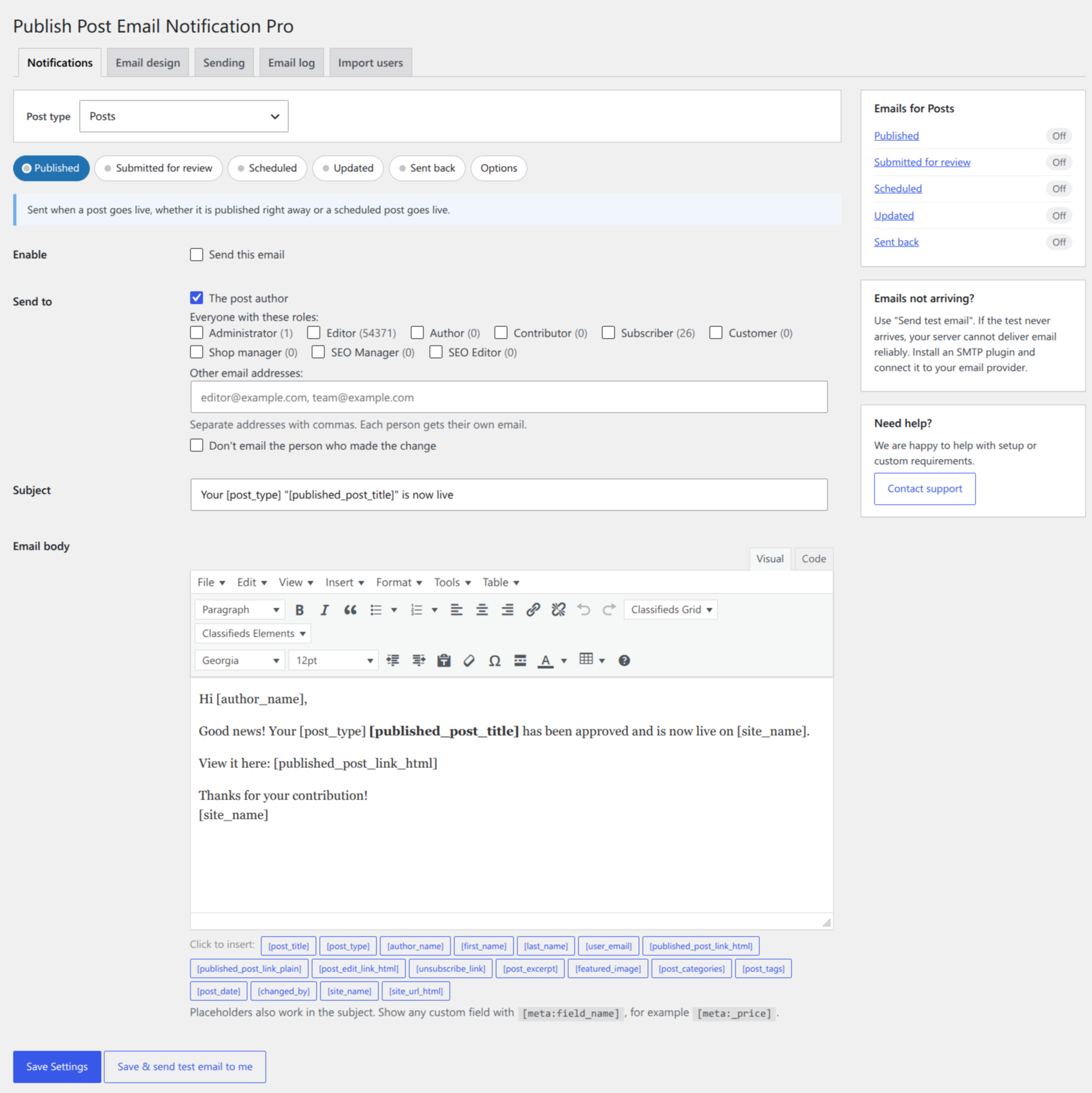
Publish Post Email Notification Pro sends the right email to the right people every time a post changes status in WordPress. Authors hear when their post is published, scheduled or updated. Editors hear when a contributor submits a post for review. Authors get a clear note when a post is sent back for changes. And your subscribers can get an email about every new post.
It works for posts, pages, WooCommerce products and any custom post type, sends thousands of emails safely in the background, and every email carries your logo and colours.
5 Notifications, Fully Customisable
| Notification | When it is sent | Typical recipients |
|---|---|---|
| 📢 Published | A post goes live | The author, subscribers, any address |
| 📝 Submitted for review | A contributor submits a post | Editors, admins |
| 🗓️ Scheduled | A post is approved for a future date | The author |
| ✏️ Updated | Someone edits a published post | The author |
| ↩️ Sent back | An editor returns a post with a note | The author |
Each notification has its own subject, email text and recipients, separately for every post type. Turn on only the ones you need.
Send Back to Author — With a Note
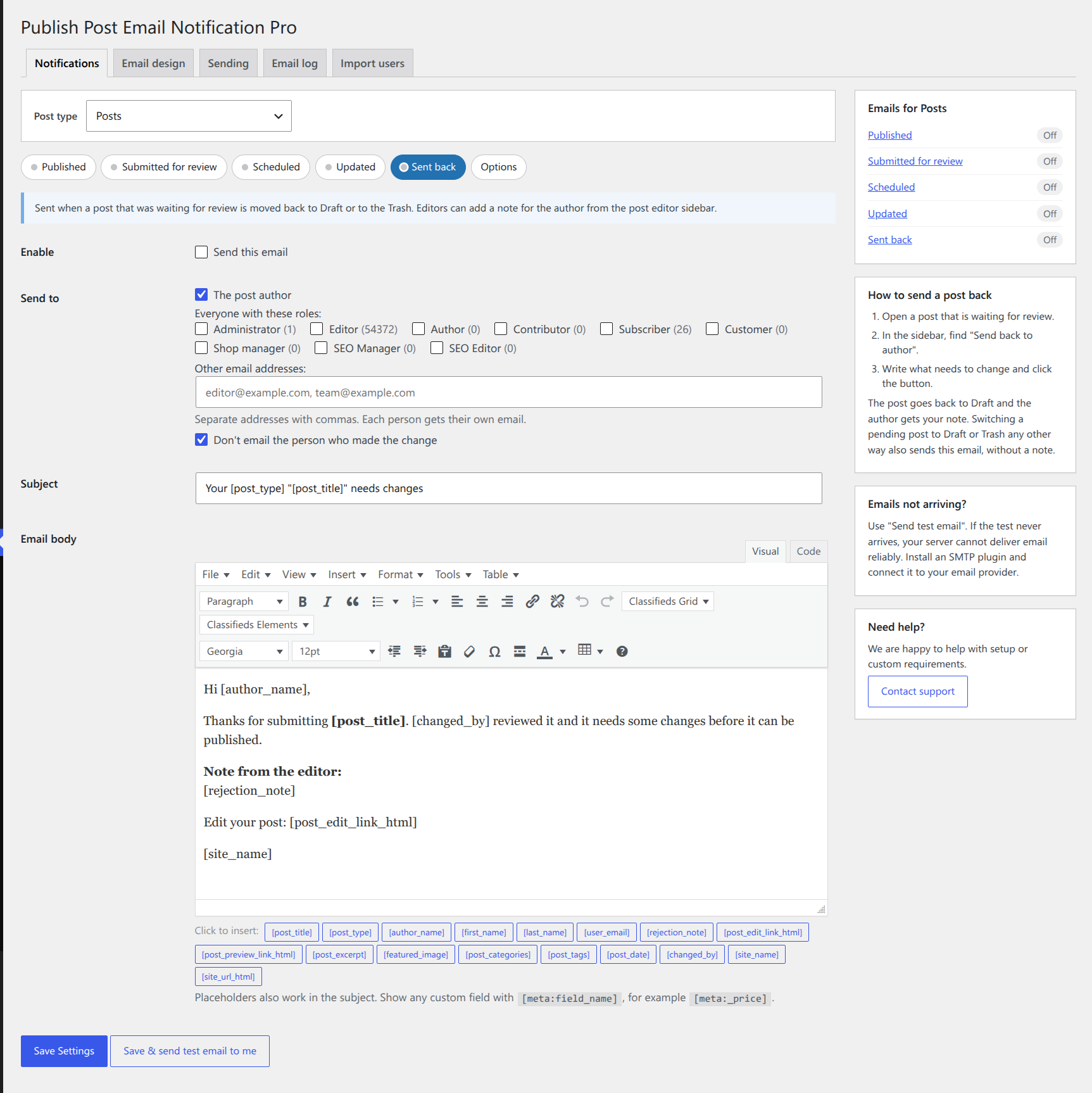
Editors get a “Send back to author” box in the post editor sidebar (block editor and classic editor). Write what needs to change, click the button, and the post goes back to Draft while the author receives your note by email. No more feedback lost in chat messages.
Email Your Subscribers About New Posts
Tick the Subscriber role (or any other role) on the Published email and everyone with that role gets an email when you publish. Each person gets their own email, so no one sees the other addresses.
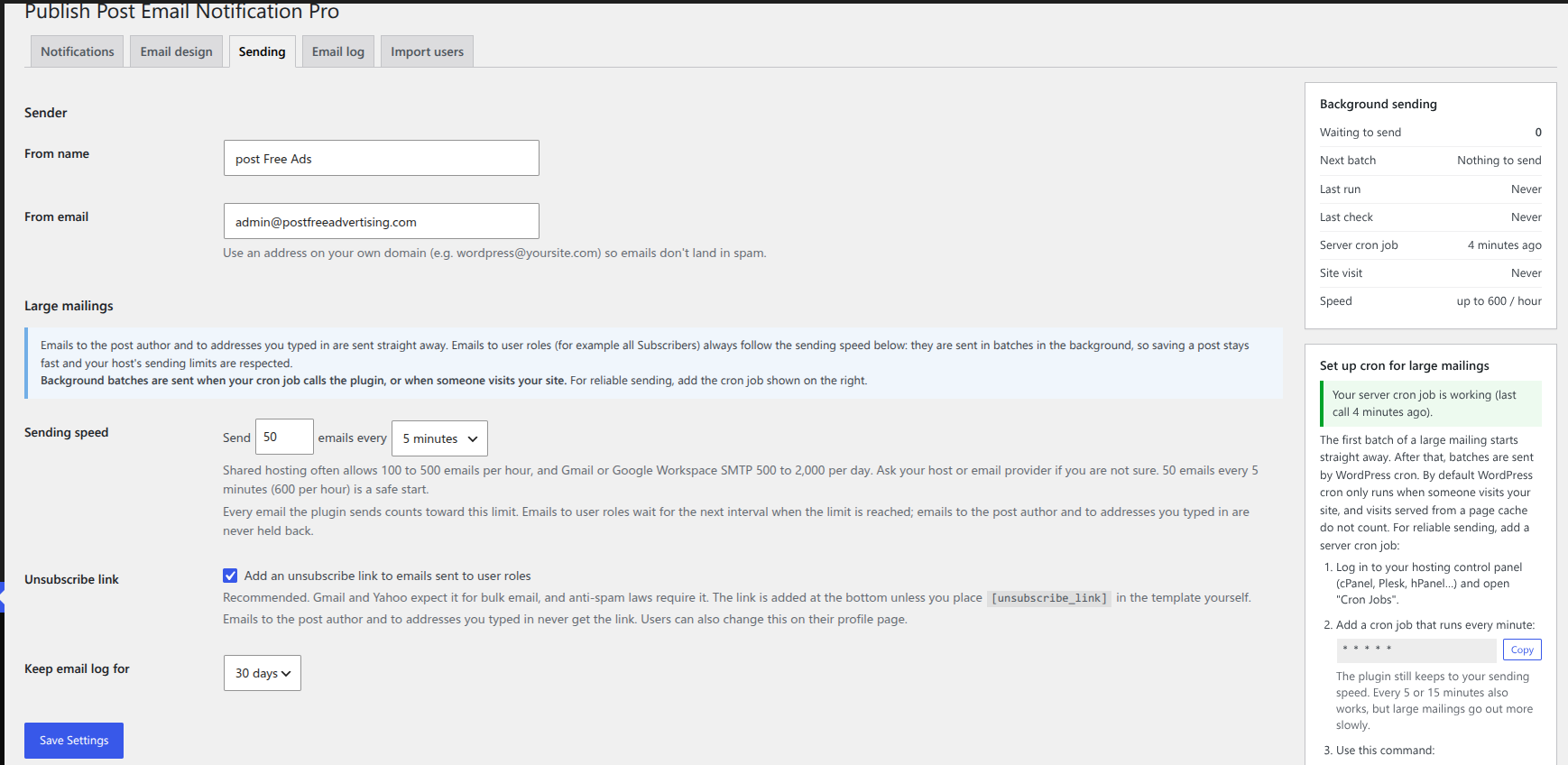
- ✅ Background sending – large mailings go out in batches at the speed you choose (for example 50 emails every 5 minutes), so saving a post stays fast.
- ✅ Respects your host’s limits – the speed limit applies to every batch, including the first.
- ✅ Unsubscribe built in – an unsubscribe link with a confirm page, plus one-click unsubscribe for Gmail and Yahoo.
- ✅ Automatic retries – failed emails are retried, and sending pauses if your mail server stops responding.
- ✅ Cron made easy – a help box gives you the exact cron command for your site with a copy button, and shows whether it is running.
Import Subscribers From a CSV File
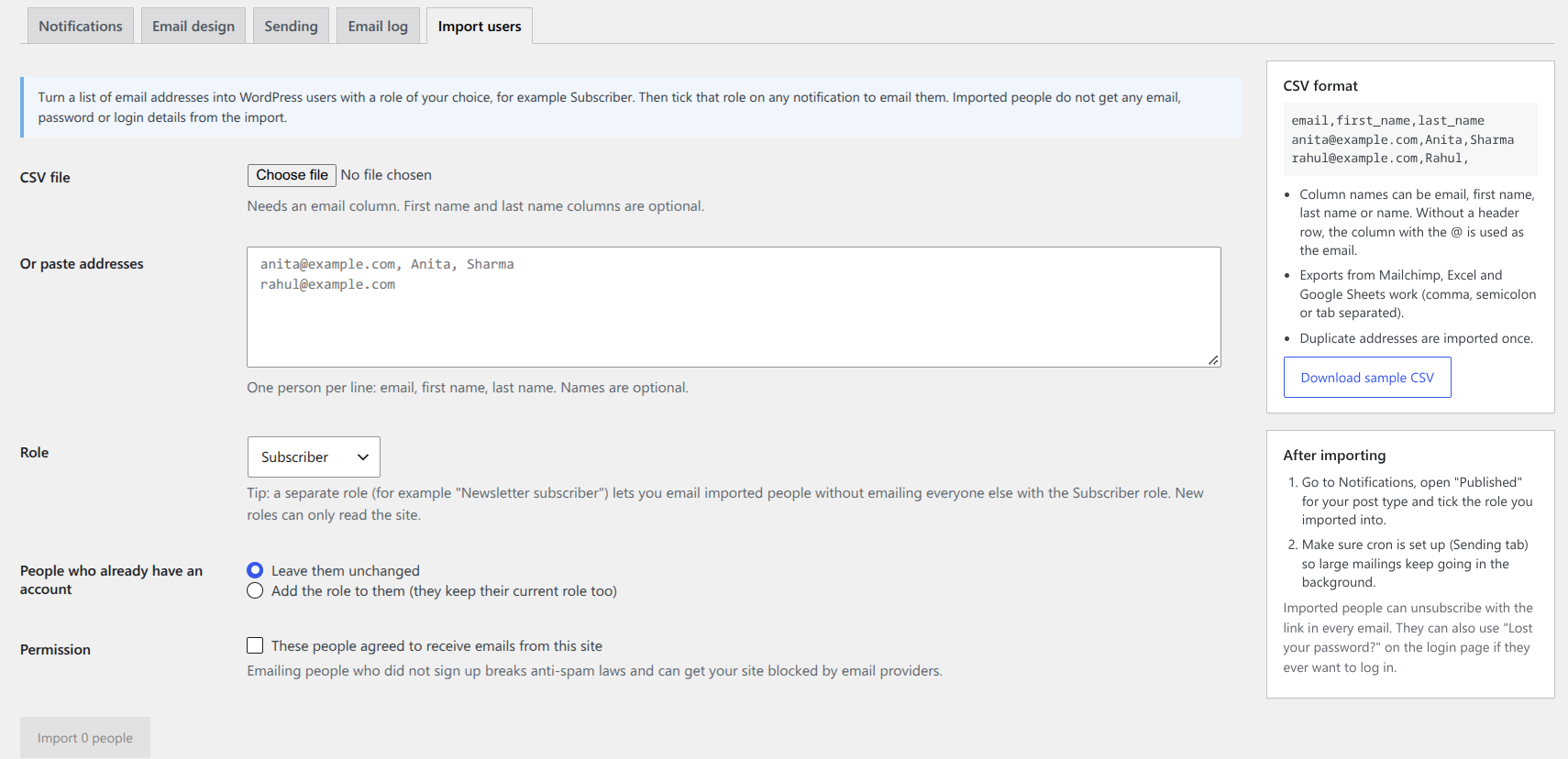
Moving from Mailchimp or another list? Upload a CSV file or paste a list of email addresses to create WordPress users with the role you choose, such as Subscriber or a new “Newsletter subscriber” role. Duplicates are removed, large files import with a progress bar, and a report shows any rows that could not be imported. An import can never create administrators.
Branded Emails With Your Logo and Colours
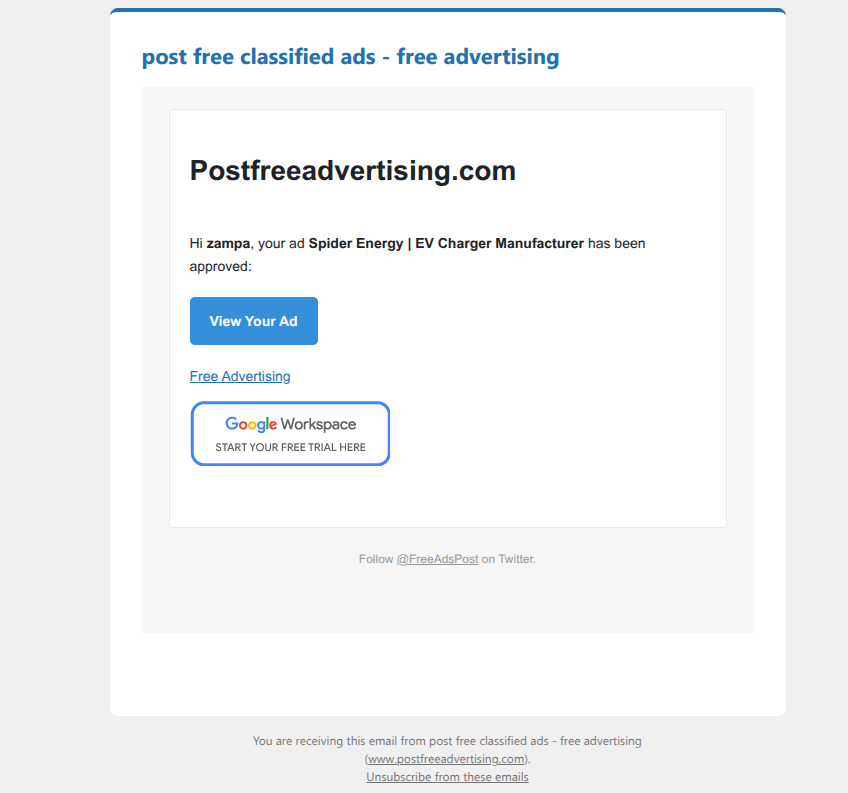
Every notification can carry your logo, accent colour, background colour and footer. Post links become buttons, and you choose the button text, such as “Read the full article”. A large live preview with Desktop and Mobile views shows the result before you send. Prefer emails that look personal? Switch to the Plain style.
Email Log — See Every Email
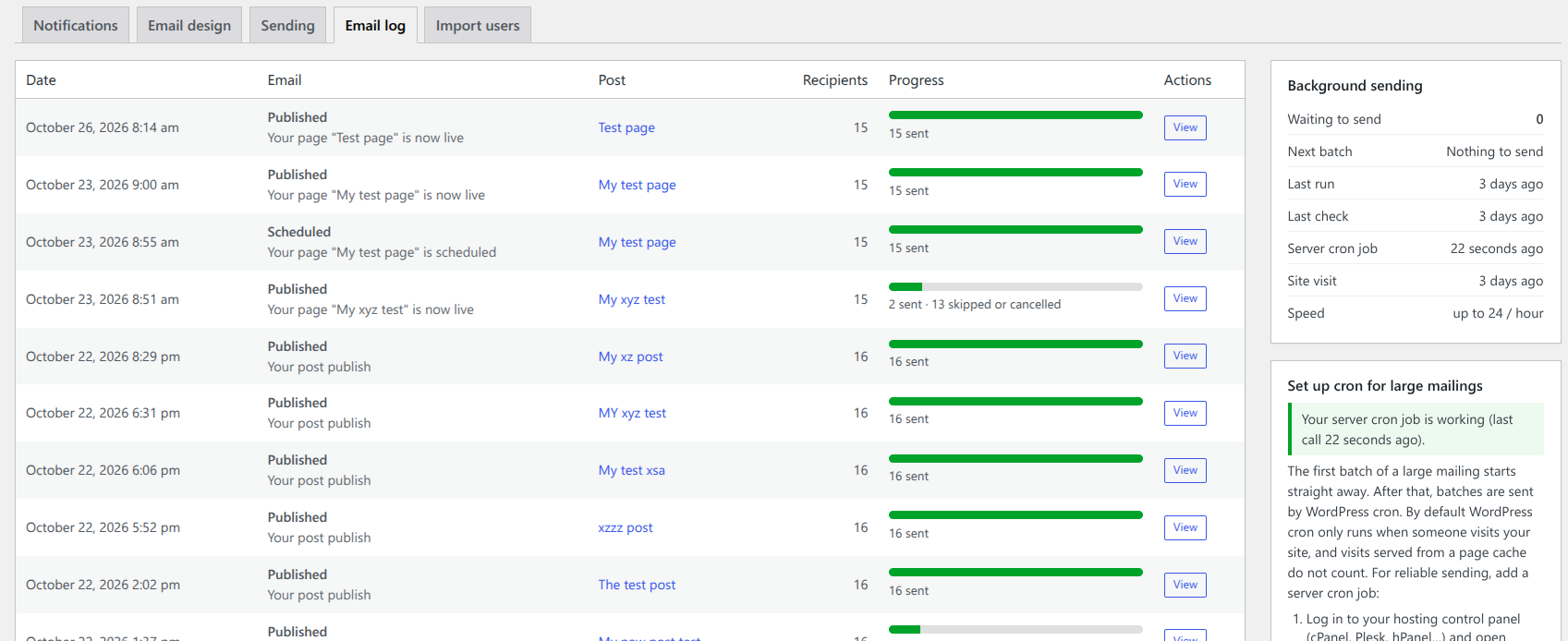
See every notification with a progress bar: sent, waiting and failed. Open one to see each recipient and the exact error for failed emails. Retry failed emails, cancel waiting ones or resend a single email.
All Features
Notifications
- ✔️ Published, Submitted for review, Scheduled, Updated and Sent back emails
- ✔️ Posts, pages, WooCommerce products and every custom post type
- ✔️ Separate templates for each post type and each event
- ✔️ “Send back to author” with a note in the block and classic editor
- ✔️ At most one “Updated” email per post every 10 minutes – no spam for typo fixes
Recipients
- ✔️ The post author, users with chosen roles and any email addresses
- ✔️ Skip the person who made the change
- ✔️ Ignore posts written by chosen roles
- ✔️ CSV and paste import into any role or a new role
- ✔️ Unsubscribe link, one-click unsubscribe and a profile setting
Email content and design
- ✔️ 25+ placeholders: post title, excerpt, categories, tags, featured image, date, author name, editor’s note, edit and preview links, and more
- ✔️ Any custom field with
[meta:field_name] - ✔️ Branded template with logo, colours, footer and custom button text
- ✔️ Live Desktop/Mobile preview and “Send test email to me”
- ✔️ Your own sender name and email address
Sending and reliability
- ✔️ Background queue for thousands of recipients
- ✔️ Sending speed you control
- ✔️ Automatic retries and a full email log
- ✔️ Cron help box with status and diagnostics
- ✔️ Works with SMTP plugins (WP Mail SMTP, FluentSMTP, Post SMTP and others)
Built to last
- ✔️ Translation ready
- ✔️ Developer filters for emails, recipients and placeholders
- ✔️ Settings from the free version and Pro 2.x are moved over automatically
- ✔️ Requires WordPress 5.8+ and PHP 7.2+
Who Is This For?
- 📰 Multi-author blogs and news sites – keep writers informed when their work goes live or needs changes.
- 🏫 Schools, agencies and membership sites – review contributor posts before they are published.
- 🛒 WooCommerce stores – notify your team when products are added, scheduled or updated.
- ✉️ Bloggers with subscribers – email every subscriber about a new post without a separate newsletter service.
- 📋 Directories, events and listings – email notifications for any custom post type.
Free vs PRO Comparison
| Feature | Free | PRO |
|---|---|---|
| Post types | Posts only | All post types, incl. pages and WooCommerce products |
| “Published” email to author | ✅ | ✅ |
| “Submitted for review” email | ✅ To email addresses | ✅ To roles, the author and email addresses |
| “Scheduled” email | ❌ | ✅ |
| “Updated” email | ❌ | ✅ |
| Send back to author with a note | ❌ | ✅ |
| Email all subscribers / any role | ❌ | ✅ |
| Background sending with speed limit | ❌ | ✅ |
| Unsubscribe link and one-click unsubscribe | ❌ | ✅ |
| Import users from CSV | ❌ | ✅ |
| Branded email with logo and colours | ❌ | ✅ |
| Email log with retry and resend | ❌ | ✅ |
| Placeholders | Basic | 25+ including custom fields |
| Send test email | ✅ | ✅ |
| Support | WordPress.org forum | Direct support from the developer |
🆓 Want to try first? The free version on WordPress.org sends the Published and Submitted for review emails for posts. When you upgrade, your settings are moved over automatically.




sharon9923 –
Thank you for a great plugin!
Since upgrading to WordPress 5.7, I tried 2 other plugins to notify the author when a custom post type is published, and neither worked. I purchased your “pro” version today and it worked perfectly. We need this feature for our project, so thank you for providing it.
neotrope –
Life Saver – Thank You
Since we moved our news platform to WP in late 2016, this plugin has been part of a hand full of true life savers — allowing us to ping an author/staffer when story is live. Truly invaluable for our business.
Have not yet tried the new April 2019 update, but have been appreciative this even exists at all.
The old version works with WP 5.1, so hoping new version does too.
THANK YOU!!! 🙂
Somnath Jadhav –
Perfectly fine !!!
This plugin is very useful and perfectly fine for notifications.
Thanks for making it.