
Customer testimonials are one of the simplest ways to increase trust on a WordPress site — but most tutorials only cover half the problem: displaying testimonials you already have. The harder part is actually collecting them without emailing back and forth or manually copy-pasting reviews from other platforms.
This guide covers both: how to display testimonials in a responsive slider or grid, and how to let your own visitors submit testimonials directly on your site.
Why testimonials matter for conversion
People trust other customers more than they trust your own marketing copy. A few testimonials placed near a call-to-action — a signup button, a pricing table, a checkout page — measurably reduce hesitation. The key is making them look credible: real names, and ideally, star ratings that can show up directly in Google search results via schema markup.
What to look for in a WordPress testimonial plugin
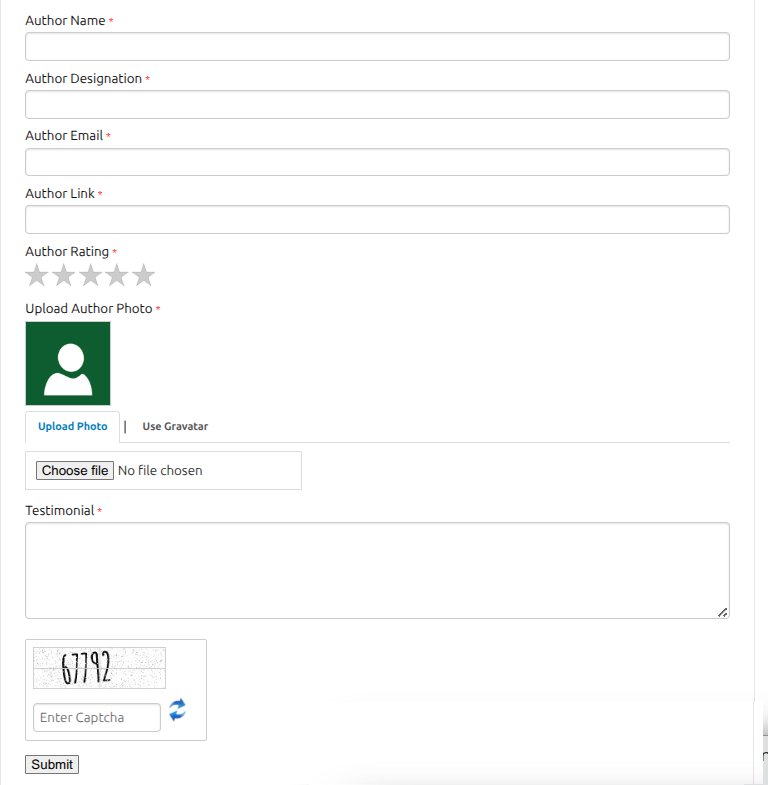
- A genuine frontend submission form — not just an admin-only entry screen. This is the difference between chasing testimonials manually and having them arrive on their own.
- Spam protection on that form — captcha support, so a public submission form doesn’t become a spam magnet.
- Schema markup (JSON-LD) — this is what allows Google to show star ratings next to your page in search results, which can meaningfully improve click-through rate.
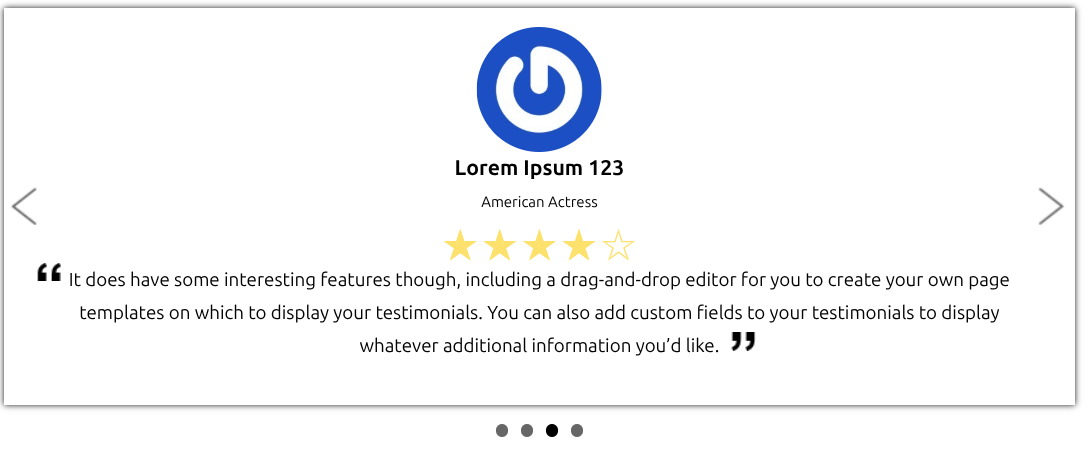
- Grid AND slider layout options — a slider works well in a hero section; a grid works better on a dedicated “Reviews” or “Testimonials” page. Plugins that only offer one layout limit where you can actually use them.
- Native Gutenberg block support — avoids hunting for shortcodes or dealing with page-builder conflicts.
A few options to consider
Easy Testimonial Slider and Form — free plugin with a genuine frontend submission form (with captcha and admin moderation) built in from the start, not bolted on as a paid add-on. The Pro version adds 5 slider styles, a responsive grid layout, star ratings, and automatic Google Schema markup — as a one-time payment rather than a subscription. See the plugin →
(Add 2–3 genuinely comparable alternatives here before publishing — an honest comparison, even one where a competitor’s plugin might suit some readers better, tends to both rank better and convert better than a post that only mentions one option.)
How to add a testimonial slider to WordPress
- Go to Plugins → Add New, search for a testimonial plugin, install and activate it
- Look for its dedicated block in the block editor (search the block inserter for the plugin name), or use the shortcode it provides
- Add your first few testimonials manually from the admin screen to get started
- If the plugin supports it, enable the frontend submission form so future testimonials arrive without manual entry — just remember to turn on moderation so nothing publishes without your review
How to collect testimonials without asking people to email you
Add the submission form shortcode or block to a dedicated “Leave a Review” page, then link to that page in a post-purchase email or thank-you page. This turns testimonial collection into a passive, ongoing process instead of a one-time manual push.
Getting star ratings to show up in Google search results
If your plugin outputs Schema.org / JSON-LD markup automatically, you don’t need to do anything extra — Google’s crawler picks it up on its own schedule. It can take anywhere from a few days to a few weeks after publishing before ratings appear in search results, and Google doesn’t guarantee they’ll show for every page even when the markup is valid.
Want more than one slider or the grid layout?
The free version of Easy Testimonial Slider and Form covers the essentials — one slider, the submission form, captcha protection, and full Gutenberg block support. If you outgrow that, Easy Testimonial Slider Pro adds:
- Unlimited sliders — run different testimonial sets on different pages
- 5 slider styles + a responsive grid layout (1–4 columns, with pagination)
- Star ratings on the submission form, plus automatic Google Schema markup so those ratings can appear directly in search results
- Custom colors and fonts to match your site’s branding exactly
- Auto-approve and bulk moderation, for sites collecting testimonials at higher volume
- CSV import/export, for migrating existing testimonials or backing them up
- One-time payment — no subscription, unlike most testimonial plugins in this space
See Easy Testimonial Slider Pro →