
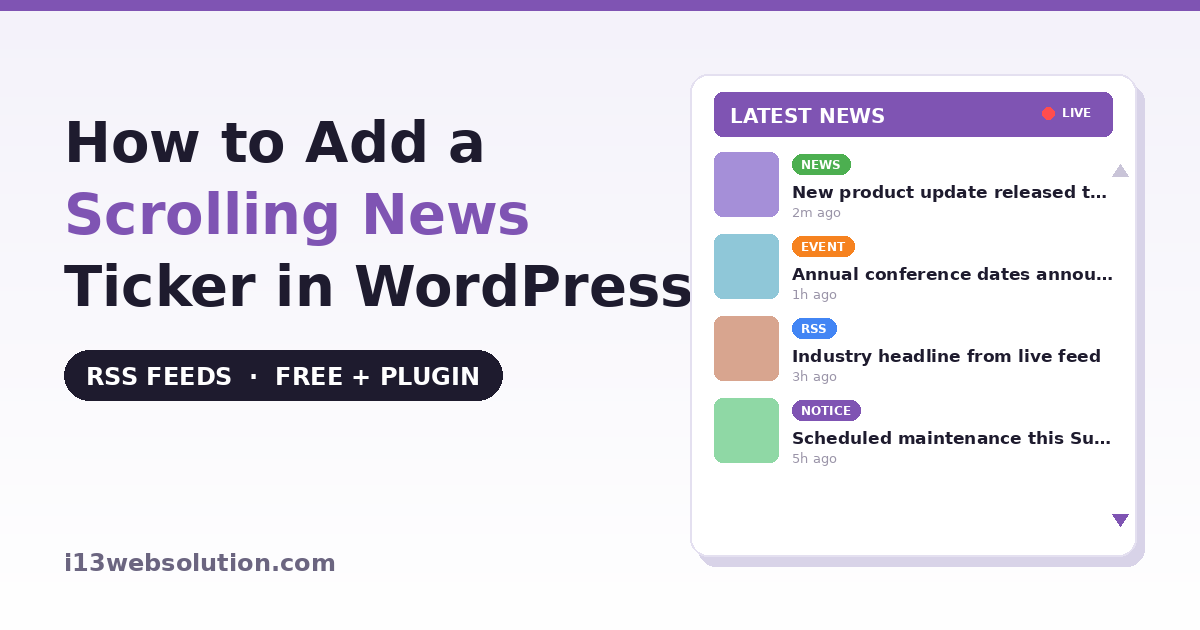
A scrolling news ticker keeps fresh headlines visible on your site without the visitor having to scroll or click — the same effect you see running along the bottom of a TV news channel. On a WordPress site it’s a great way to surface announcements, recent posts, or live headlines from other sources in a small, always-visible strip.
WordPress has no built-in news ticker, so in this guide you’ll learn two ways to add a scrolling news ticker to WordPress:
- Method 1: A free code method using WordPress’s built-in RSS widget plus a little CSS animation
- Method 2: A plugin method that pulls live RSS feeds, mixes in your own news, and adds styles, a Gutenberg block, and a lightbox preview
Method 1: A Simple Scrolling Ticker with Code
WordPress ships with an RSS block/widget that can display items from any feed. On its own it’s a static list, but you can make it scroll with a little CSS. First, add the RSS block to a page and point it at a feed URL (for example, your own site’s feed at yoursite.com/feed). Then add this CSS under Appearance → Customize → Additional CSS:
/* Wrap height controls how much of the ticker is visible */
.wp-block-rss {
    height: 40px;
    overflow: hidden;
    position: relative;
}
.wp-block-rss ul,
.wp-block-rss {
    list-style: none;
    margin: 0;
    padding: 0;
}
.wp-block-rss li {
    animation: i13-ticker 12s linear infinite;
}
@keyframes i13-ticker {
    0%   { transform: translateY(100%); }
    100% { transform: translateY(-400%); }
}
.wp-block-rss:hover li {
    animation-play-state: paused; /* pause on hover */
}
This makes the feed items scroll vertically and pause when the visitor hovers. It’s a genuine, working starting point for a single feed on one page.
Where the Code Method Falls Short
The snippet works for a basic single-feed strip, but a real news ticker needs more than the RSS block can offer, and the gaps show up quickly:
- Timing is fragile. The CSS animation uses fixed percentages, so the scroll speed and position drift depending on how many items the feed returns and how long each headline is — some items fly past, others linger. Getting smooth, even scrolling for a variable number of items is exactly the hard part.
- One feed only, no mixing. The RSS block shows one feed. Combining several feeds, or blending live feeds with your own manually written announcements in one sorted ticker, isn’t possible without custom code.
- No caching control. Fetching a remote feed on every page load slows your site; proper feed caching needs to be built.
- No images, labels, or preview. It’s plain text links — no thumbnails, no “News/Event” labels, and clicking sends the visitor straight off your site.
- Styling is all on you. Every visual detail is manual CSS, per theme, maintained by you through updates.
Method 2: A News Ticker Plugin with RSS Feeds and Styles
This is what our Vertical News Scroller plugin handles out of the box. Instead of wrestling with CSS timing, you drop in a ticker that scrolls smoothly and reliably across themes, and you control everything from settings:
- Install Vertical News Scroller from the WordPress.org directory and activate it
- Add your news items, or point it at an RSS feed URL
- Place it with a Gutenberg block, a widget, or a shortcode
The free version gives you a working vertical scroller with manually added news items and one style — enough for a simple announcements ticker. The paid version is where the real news-ticker features live.
What the Pro Version Adds
The Pro version (one-time payment, no monthly fee) turns the scroller into a full news feed:
- Live RSS feeds: connect any feed — a news site, or your own blog — and the plugin fetches and mixes those headlines in with your own news, sorted by date. Smart caching keeps your site fast by refreshing feeds on a schedule rather than on every page load.
- Mix RSS and manual news in one scroller, so a company announcement and a live industry headline can sit in the same ticker.
- Four visual styles — Default, Card, Minimal, and Headline — switchable in one click without losing your settings.
- Native Gutenberg block with full sidebar controls: pick categories, toggle image/date/title, set scroll direction and speed, choose a style, and customize colors and fonts — no shortcode attributes to memorize.
- Lightbox preview: clicking a headline opens a popup with the image, excerpt, and a “Read full article” link, so readers stay on your page instead of navigating away immediately.
- Colored item labels (News, Event, Announcement, Notice, or your own), thumbnail support, multisite compatibility, and a lightweight scroll engine tuned for reliable up/down scrolling across themes.
Which Method Should You Use?
Use the code method if: you want a simple scrolling strip for a single feed on one page, and you’re comfortable adjusting CSS timing by hand.
Use the plugin if: you want smooth reliable scrolling, live RSS feeds, more than one feed, images and preview popups, or a Gutenberg block — or you simply don’t want to maintain custom CSS across theme updates. Start with the free version and upgrade to Pro when you need RSS feeds or the visual styles.
Frequently Asked Questions
Does WordPress have a built-in news ticker?
No. WordPress includes an RSS block that can list feed items, but it does not scroll and has no ticker styling. You need either custom CSS animation or a dedicated news ticker plugin to create a scrolling ticker.
How do I display an RSS feed in WordPress?
WordPress has a built-in RSS block that shows items from a single feed URL as a static list. To display multiple feeds, mix feeds with your own posts, cache them for speed, or show them as a scrolling ticker, a plugin such as Vertical News Scroller is the practical option.
Can I show live news headlines from another website?
Yes, if that website publishes an RSS feed. The Vertical News Scroller Pro plugin lets you add any feed URL and automatically pulls its latest headlines into your scroller, mixed with your own news and sorted by date.
Will a news ticker slow down my site?
It can, if a remote feed is fetched on every page load. Vertical News Scroller Pro caches feeds and refreshes them on a schedule rather than on each visit, which keeps pages fast while still showing recent headlines.
Can I add a news ticker with the block editor?
Yes. Vertical News Scroller Pro includes a native Gutenberg block. Search for News Scroller in the block inserter and configure categories, style, scroll speed, colors, and the lightbox preview from the block sidebar, with no shortcode required.
Vertical News Scroller is developed by i13 Web Solution — free version on WordPress.org, Pro version with RSS feeds, 4 styles, a Gutenberg block, and lightbox preview, backed by a 30-day money-back guarantee. Questions? Contact us — we answer every email.