


Description
Turn Any Page Into a Live News Feed
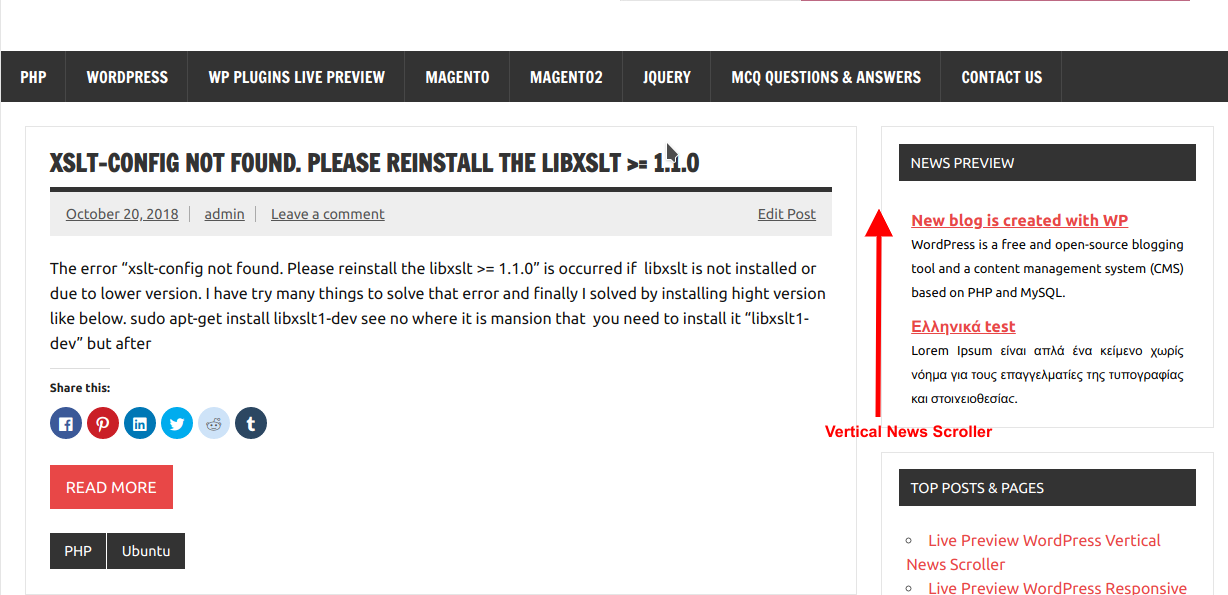
WordPress Vertical News Scroller Pro is the most complete scrolling news plugin for WordPress. Add your own news manually, pull headlines automatically from any RSS feed, or blend both into one smooth, theme-safe scroller — without writing a line of code.
🆓 Using the free version? You get one scroller style and manual news entry only. PRO unlocks RSS feeds, 4 visual styles, a Gutenberg block, lightbox preview and much more.
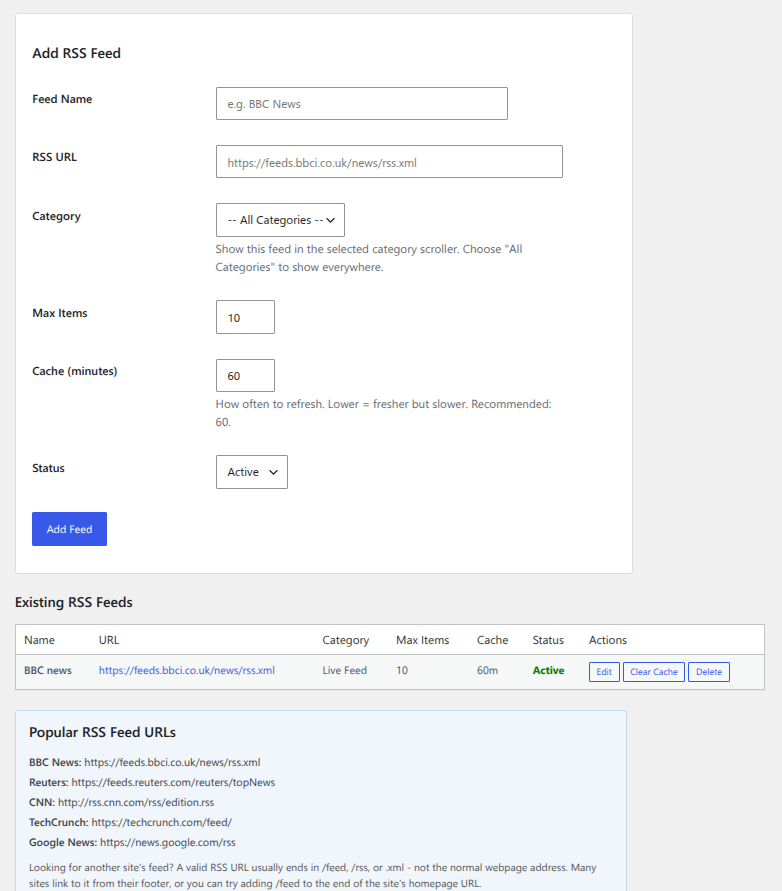
Pull In Live News From Any RSS Feed
Stop manually copy-pasting headlines. Connect any RSS feed — BBC, Reuters, your own blog, or any site that publishes one — and the plugin automatically fetches and mixes those items in with your own news, sorted by date.
- Manage feeds from a dedicated RSS Feeds admin screen
- Assign a feed to a specific category, or show it everywhere
- Smart caching keeps your site fast — feeds refresh on your schedule, not every page load
- Add a one-off feed directly inside a shortcode with
rss_url="...", no setup required
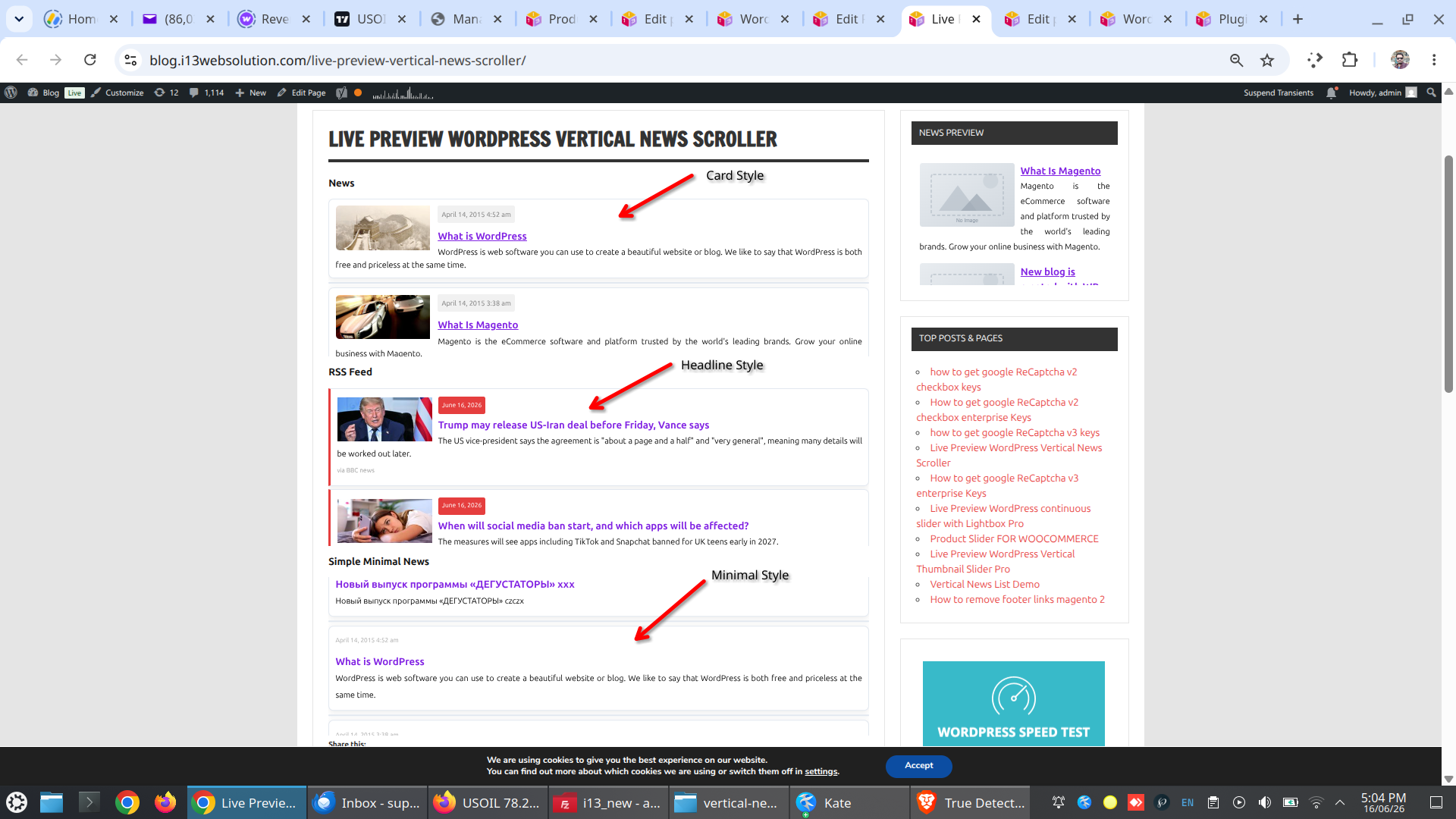
4 Visual Styles, One Click Each
Every style works with shortcode, widget, or block — switch anytime without losing your settings.
| Style | Name | Description |
|---|---|---|
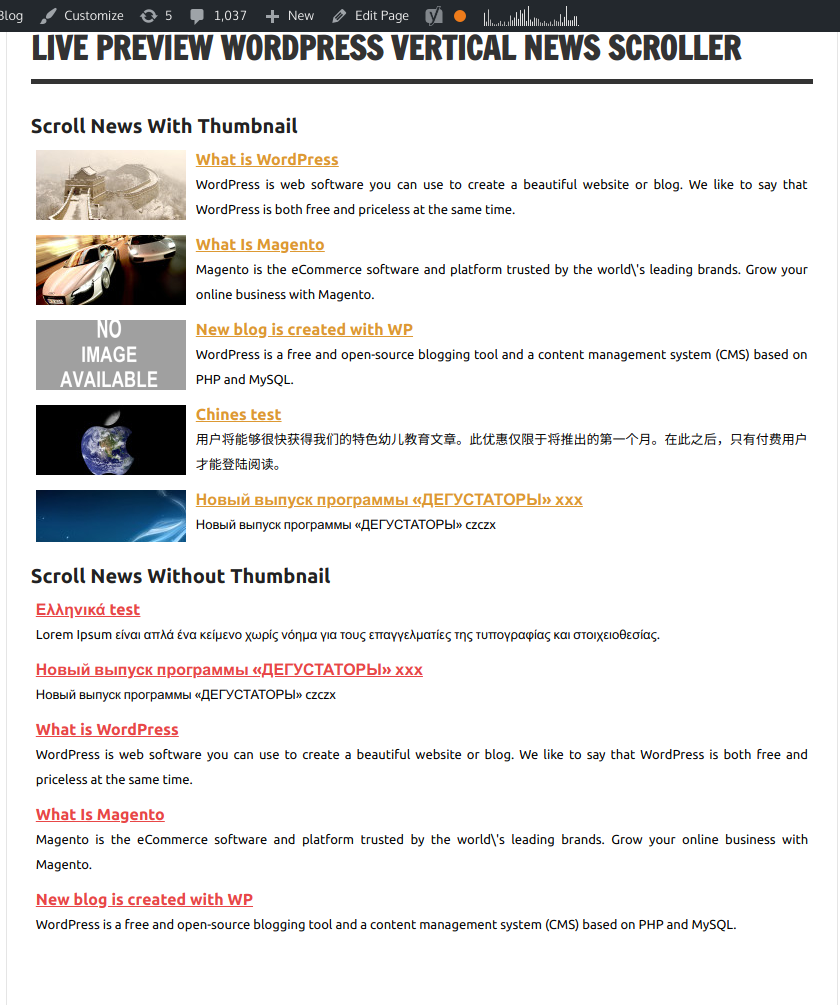
| Style 1 | Default | The original clean scroller look |
| Style 2 | Card | Boxed cards with shadow and border — modern, contained feel |
| Style 3 | Minimal | Text-only, no image — clean and editorial |
| Style 4 | Headline | Bold newsroom-style with a colored accent border |
Native Gutenberg Block
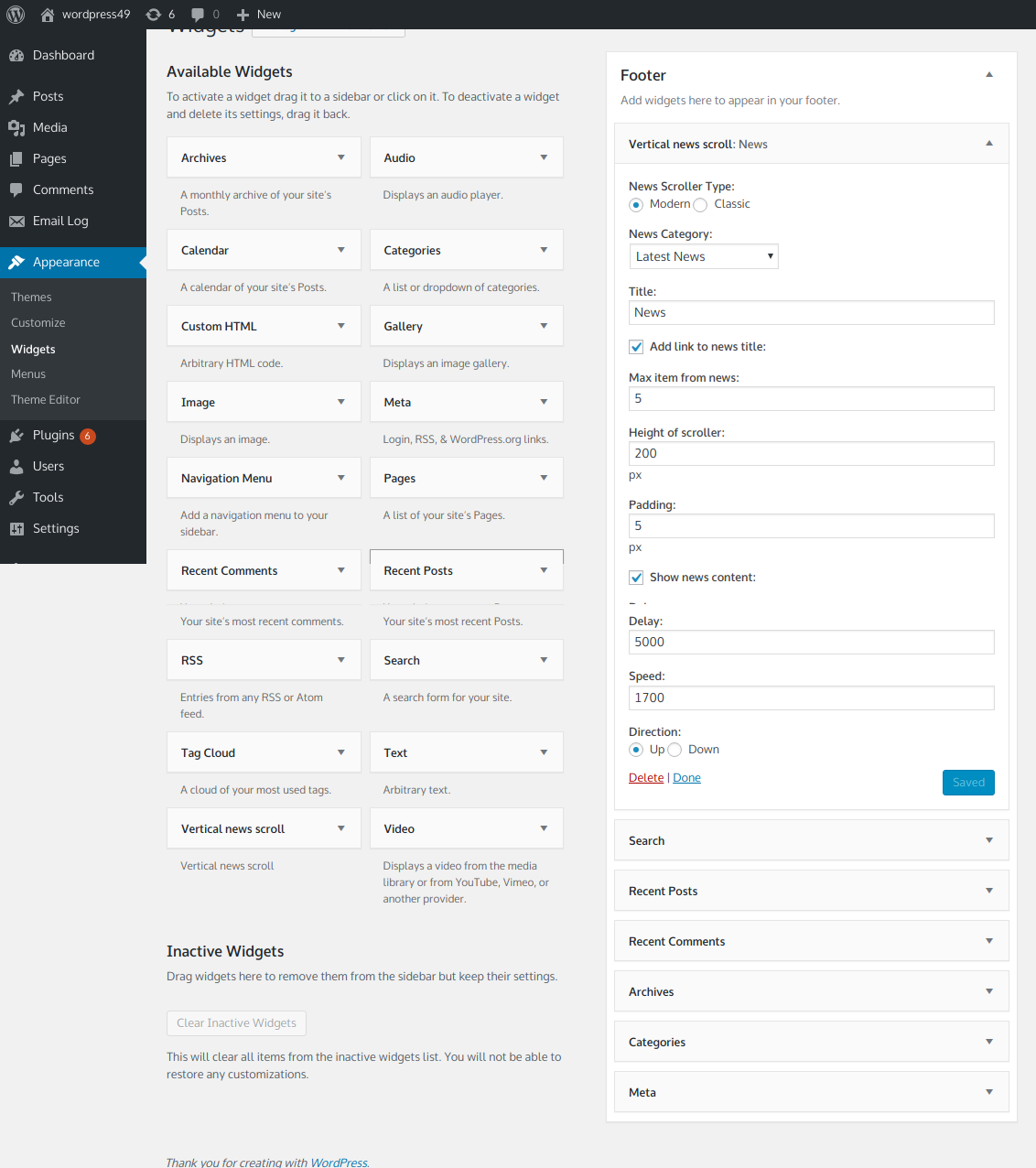
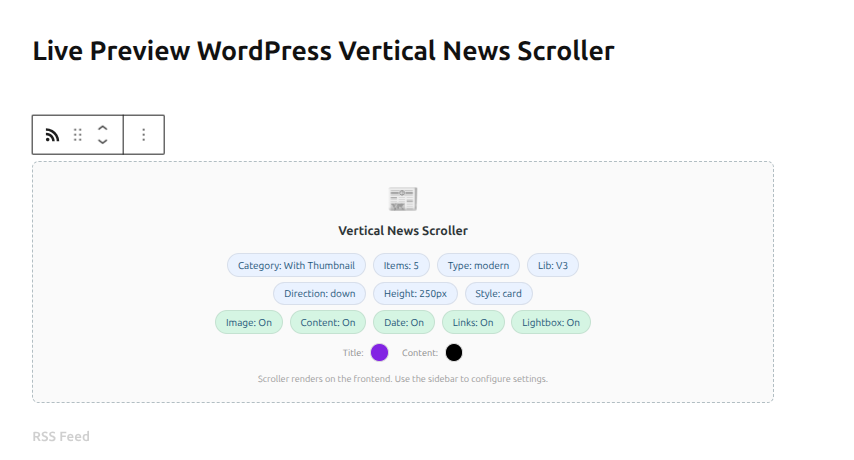
Add the scroller anywhere — posts, pages, or Full Site Editor templates — without memorizing shortcode attributes.
Search “News Scroller” in the block inserter. Full sidebar controls for:
- Multi-category picker (combine categories in one scroller)
- Show/hide image, content, date, title link
- Scroller engine, direction, speed
- Visual style preset and color/font customization
- Lightbox preview toggle
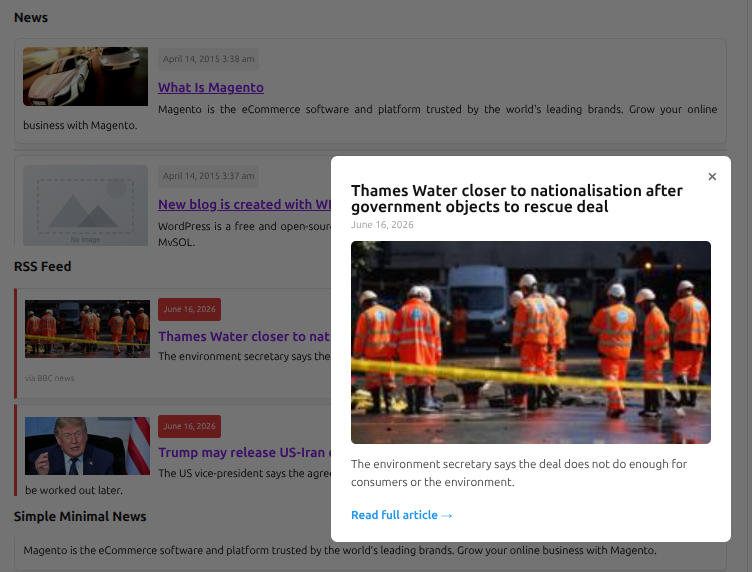
Lightbox Preview — Readers Stay on Your Page
When someone clicks a headline, instead of immediately leaving your site, they get a quick popup preview — image, excerpt, label, date — with a clear “Read full article” link when they’re ready to continue. Works for your own news items and RSS items alike.
- One toggle in shortcode, widget, or block settings
- Customizable “Read full article” text from a dedicated settings screen
- No extra script loads unless you actually enable it
Reliable Across Themes
Built on a lightweight v3 scroll engine that fixes the inconsistent direction and speed behavior older ticker plugins are known for.
- Smooth step-by-step or continuous scrolling
- Pause on hover
- Reliable up and down direction, on virtually any theme
All Features
Content sources
- ✅ Pull headlines automatically from any RSS feed
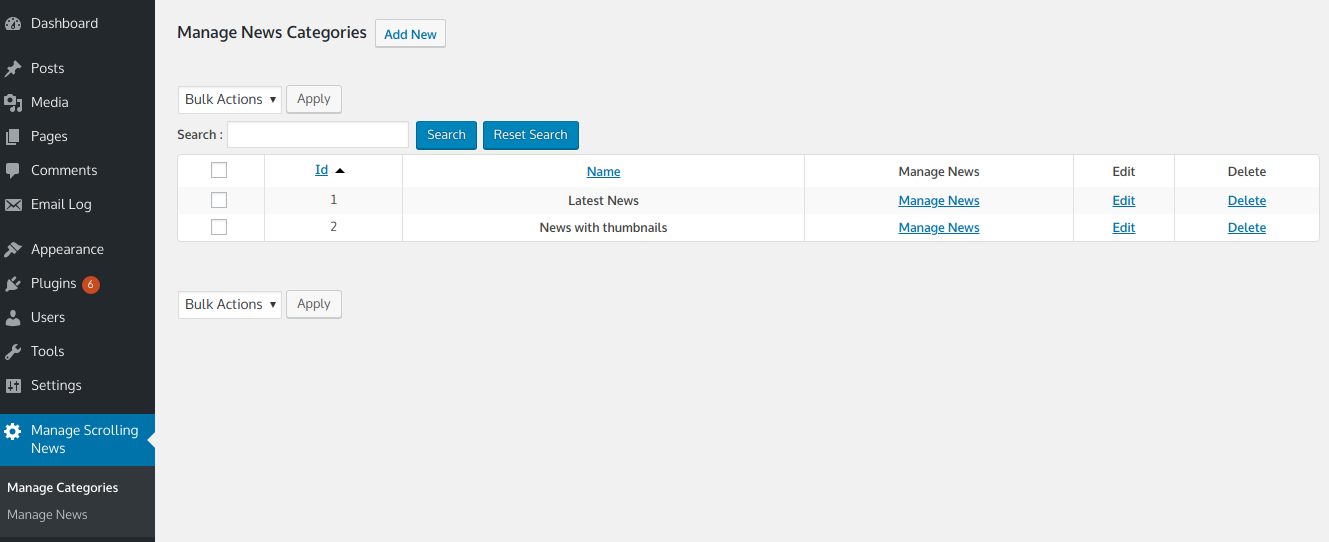
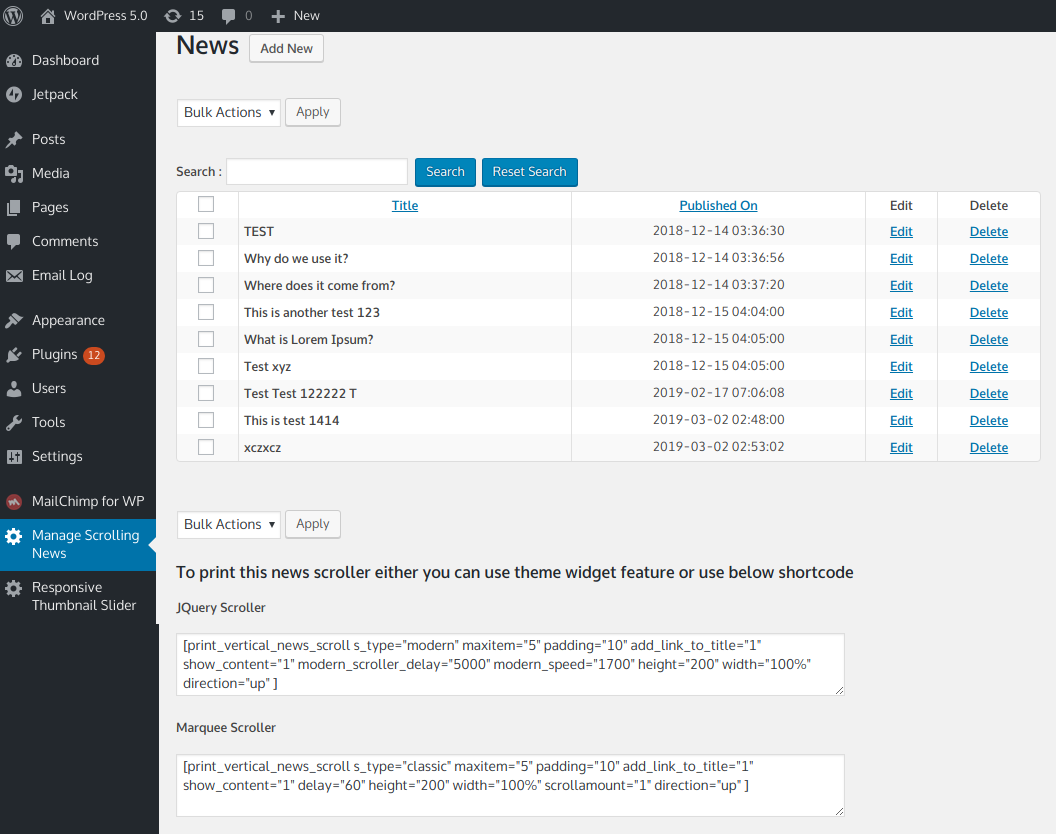
- ✅ Unlimited manual news items, organized into unlimited categories
- ✅ Turn any existing post or page into a scrolling news item with one checkbox
- ✅ Mix RSS and manual news in the same scroller, sorted by date
Design & display
- ✅ 4 visual style presets: Default, Card, Minimal, Headline
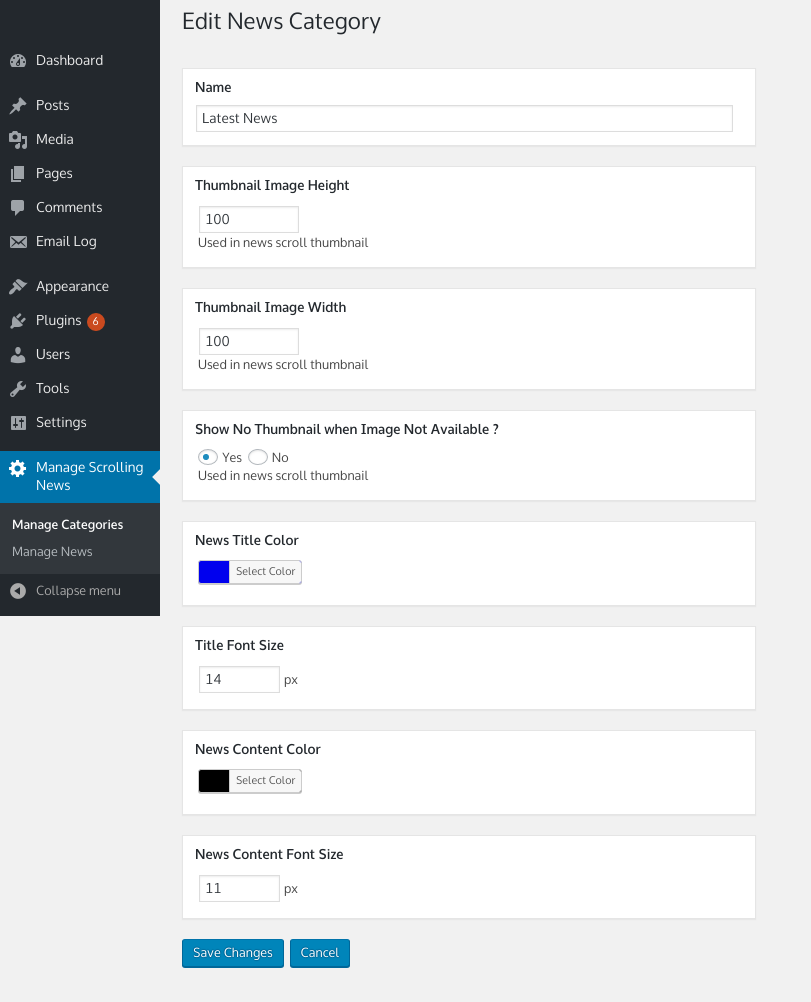
- ✅ Full title/content color and font size control
- ✅ Colored item labels: News, Event, Announcement, Notice (or your own custom text)
- ✅ Lightbox preview popup with customizable text
- ✅ Custom thumbnail dimensions, with clean placeholder when no image is set
Setup & flexibility
- ✅ Native Gutenberg block with full sidebar controls
- ✅ Also works as a classic widget or shortcode
- ✅ Two scroll styles: smooth jQuery scroller or marquee-style
- ✅ Manual ordering and mass reorder
- ✅ Open links in same window or new tab
Built to last
- ✅ Lightweight v3 scroll engine — reliable across themes
- ✅ WordPress multisite compatible
- ✅ Role and capability support
- ✅ Translation-ready text and labels, customizable from settings
- ✅ No ads, ever
Who Is This For?
- 📰 News and magazine sites — keep a constant stream of headlines visible without manual updates
- 🏢 Business websites — show company announcements, press mentions, or industry news in one place
- 🎓 Schools and organizations — display events and notices alongside regular news
- 🛍️ Any WordPress site — works with any theme, any page builder
Free vs PRO Comparison
| Feature | Free | PRO |
|---|---|---|
| News categories | 1 | Unlimited |
| RSS feed support | ❌ | ✅ |
| Visual style presets | 1 | 4 |
| Gutenberg block | ❌ | ✅ |
| Lightbox preview | ❌ | ✅ |
| Item labels | ❌ | ✅ |
| Thumbnail support | ❌ | ✅ |
| Custom colors/fonts | ❌ | ✅ |
| Manual + mass reorder | ❌ | ✅ |
| Multisite support | ❌ | ✅ |



Ali –
Can it is possible to use for multi purpose
Hey there! no doubt, plugin is super & works good, but i have few questions before i purchase it, my website is https://newsroom.carepakistan.org (for the time i use shortcut), for news & event “seen is this i want to use this plugin for two different purpose 1. news 2. events now tell me “respect owners can it is possible to use this for multi purpose ?? if yes then i will purchase it.
damaja –
Nice little plugin
I like this plugin…its simple and clean, and adds a nice little movement to a flat looking page. Author also replies to problems quickly which is a very good thing.
tomotello –
Exciting tool / excellent support!
I had a special support request for formatting the content part in a different way (left alignment and text high smaller). I got within one day the answer, which I would like to share with you. Might be helpful for others too. Adding the following custom css code to the page solved my issue: .news-info {text-align: left;line-height: 1.4;}
albatrosstravel –
awesome
very nice and can be modified easily.
to modify the width edit wp-content/plugins/vertical-news-scroller/css/newsscrollcss.css
and insert:
.newsscroller_title{
font-weight: bold;
font-size: 17px;
text-decoration: underline;
width:190px;
}
.scrollercontent{
text-align:justify;
width:190px;
}
nir_r –
Very useful and easy to use
Simple and easy to use plugin if you need some news ticker.
davilan012 (verified owner) –
This is an awesome plugin with incredible flexibility. I want to just display news headlines with a brief description, without making a post or WP categories. That is to avoid having an insufficient content amount on my posts. Itv works like a charm. And yes, it is true what others say about an excellent responsive support. Thank you for this wonderful plugin!
PC-Rider –
Very usefull plugin, quick support
Very usefull for our site, just to give some post more importancy in a site with over 80 pages and some 200 post in just one year!
I asked for a small extension and the other day the devellopper gave the right answer!
Thanks Nik!
surajvg93 –
Proper
Does the work it is intended to do perfectly.
vinnchow –
It’s good
The support is fast and good.
fenz –
Very Nice
The support for the plugin is appreciable…
amitstreak –
Great ticker plugin and great support
Great plugin.
I’ve gone through several ticker plugins and this is the only one that answered my expectations exactly.
Also, the author gave good and fast support.
Only issue I had was I was getting question marks instead of Hebrew characters.
With the help of the author I had to change the character set of the “wp_scroll_news” table from latin to UTF8.
But it won’t affect most users.
Any way, great plugin and great support.
mikezets (verified owner) –
I would give this 6 stars if I could. Not only does the product work insanely well but customer support was almost instantaneous, even on a Saturday morning. I got detailed, step-by-step instructions that fixed MY problem in no time.
chiara77 –
Great plugin!
This was exactly was I was looking for! What was missing, was a php function to directly call the plugin from any part of any template, so I wrote the author and he replied me immediately! Very very kind and great support. In case anyone else is intersted, here is the function you need to call from your template if you don’t want to use the plugin as a widget in your sidebar:
kwbridge –
Vertical News Scroller
Works perfectly and the developer is super helpful.
wormo –
Great job and support
Thanks for this plugin. Works fine. Easy to be themed. Excellent support with additional user role support. Despite the user role support no issue at all.
Again, thank you!